Run your show from your own software
Scoreboards, schedules, custom panels and scripts: drive InterDirector through its documented control API, over a WebSocket or plain HTTP.
A Stream Deck covers the buttons you press. Sometimes the trigger is somewhere else: the scoring software at a match, a running order that cuts on the minute, a panel built for one volunteer, or a script that starts the recording when the doors open. InterDirector has a documented control API for exactly that, the same one the Stream Deck, Bitfocus Companion and the web remote use, so whatever they can do, your software can do.
What your software can do
- Read the show: the inputs, what is on Program and in Preview, the overlays on air, mutes and fader levels, whether you are streaming and recording and how the stream is doing, replay, and the row each data source is on. Over a WebSocket it is sent again whenever it changes.
- Act: any of the 68 actions a hotkey can run, from a cut or a fade to an overlay, a fader, the stream, a replay capture or the next row of a data source.
- Press a hotkey: any hotkey in the show, exactly as if its key were pressed.
Connect
On the Mac running InterDirector, the API needs no password: connect to ws://127.0.0.1:49721, or send plain HTTP to
http://127.0.0.1:49721/v2/. That is all a script on the same Mac needs:
curl http://127.0.0.1:49721/v2/state
curl -X POST http://127.0.0.1:49721/v2/action -H 'X-Client: Running order' \
  -d '{"verb": "cutPreview"}'
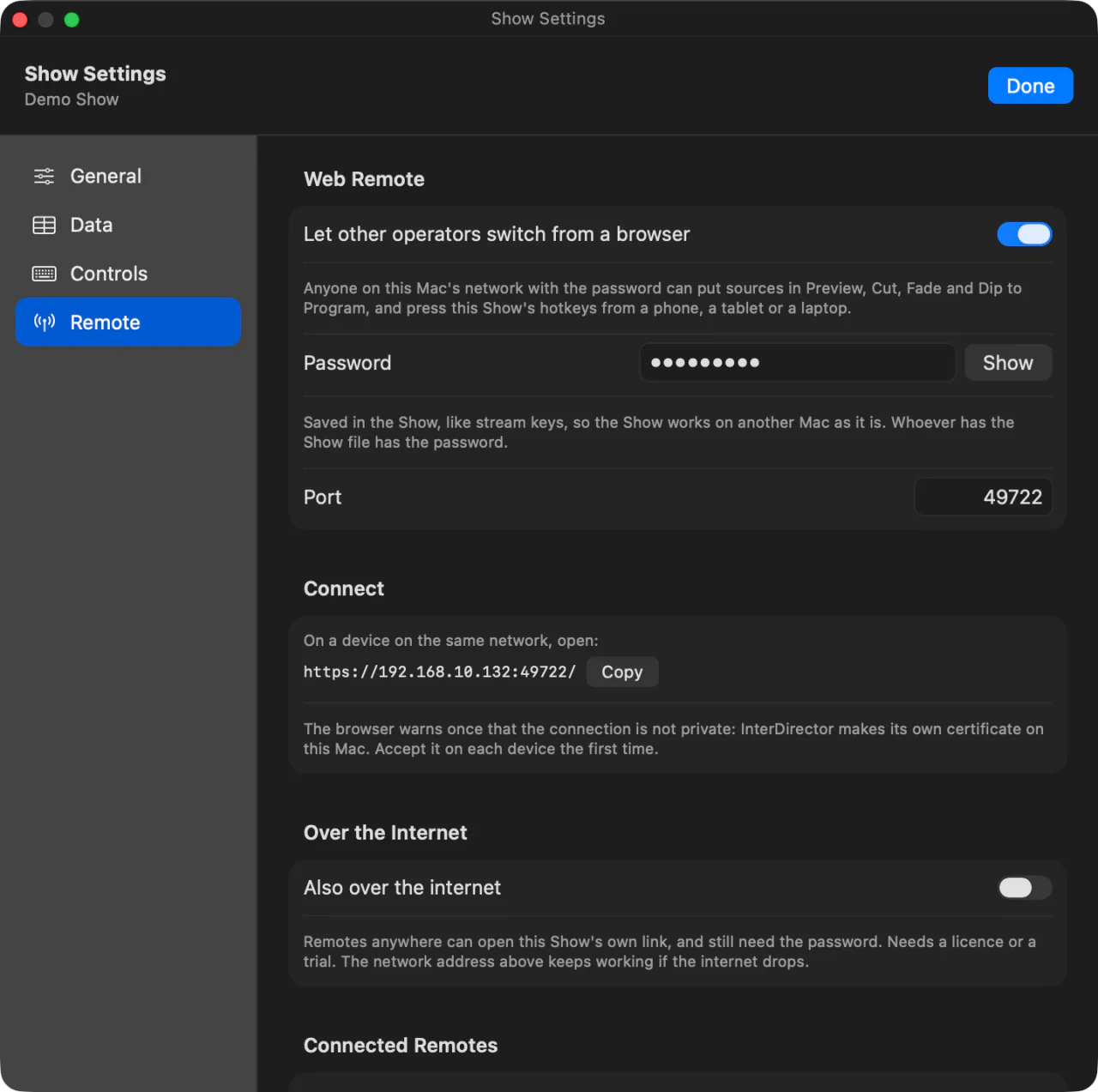
From another computer, turn on the show’s web remote and use its address and password: the API is then at
wss://<the Mac>:49722/socket and https://<the Mac>:49722/v2/, signed in with the same password the web remote
uses.
A web page open on the Mac can never control your show through the API: a browser’s request is refused. Control from a browser goes through the web remote instead.
Three things people build with it
- A scoreboard that drives the graphics. The scoring software writes the score to a CSV file that an overlay is bound to, then tells InterDirector to read it now, so the graphic changes the moment a point is scored.
- A running order on a timer. A short script puts the next camera in Preview and fades to it at the times in the programme, or starts the stream and the recording at a set time.
- A panel for one job. An app with only the four buttons a volunteer needs, and the tally of what is on air, built on the state the API sends.
The examples have working code in JavaScript, Python and curl to start from.
You can always see what it did
Every command the API carries out is written to the show’s journal under your client’s name, such as “API (Running order): Cut”, so it is clear afterwards what moved the show and why. Commands that ask first, such as stopping the stream, ask the same question on the Mac when they come from the API, unless your client says not to.