Get InterDirector Cam to use this code.
That code sets up InterDirector Cam. Install the app, open it, and scan the same code with its Scan InterDirector’s QR Code button in Settings › Connection.
Your iPhone as a production camera.
InterDirector Cam sends your iPhone’s camera to InterDirector on your Mac, or to any receiver that takes SRT or RTMP: on the same network, or from anywhere over mobile data. Made by the developer of InterDirector, free on the App Store.
Scanned a code from InterDirector?
That code sets up InterDirector Cam. Install the app, open it, and scan the same code with its Scan InterDirector’s QR Code button in Settings › Connection.
One scan, and the phone is a camera in your show.
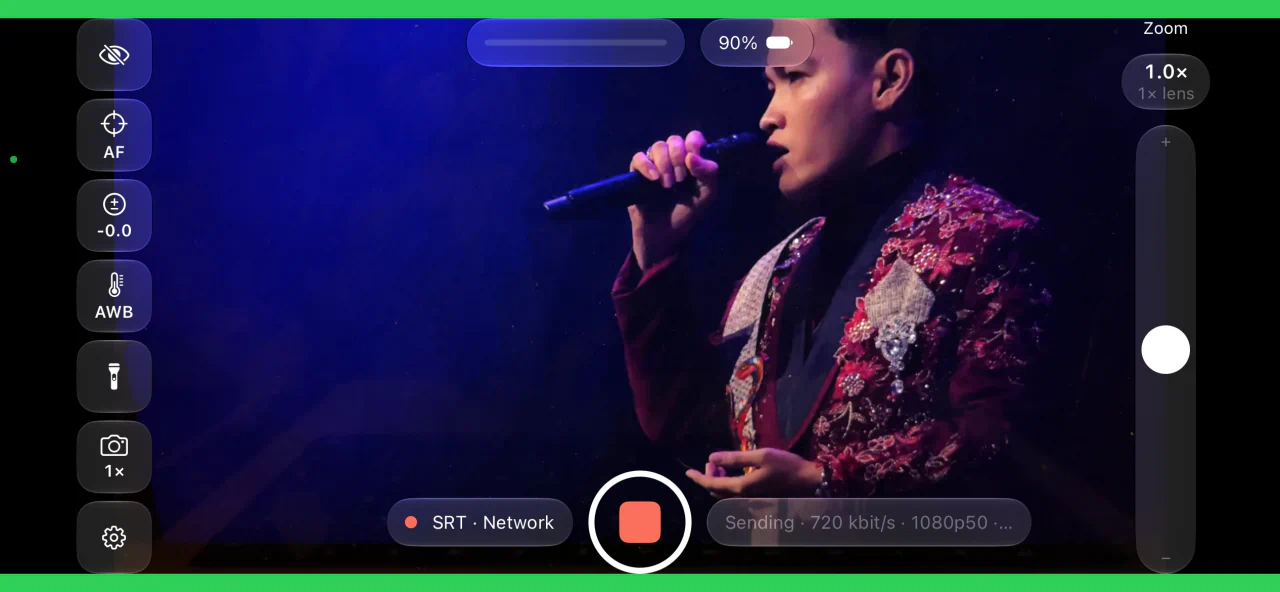
InterDirector shows a QR code in a network input’s settings. Scan it in the app and the phone is set up: where to send, the Show’s resolution and frame rate, and tally.
- Tally: a red border while the phone is on Program, green while it is in Preview, on the local network and over the internet alike.
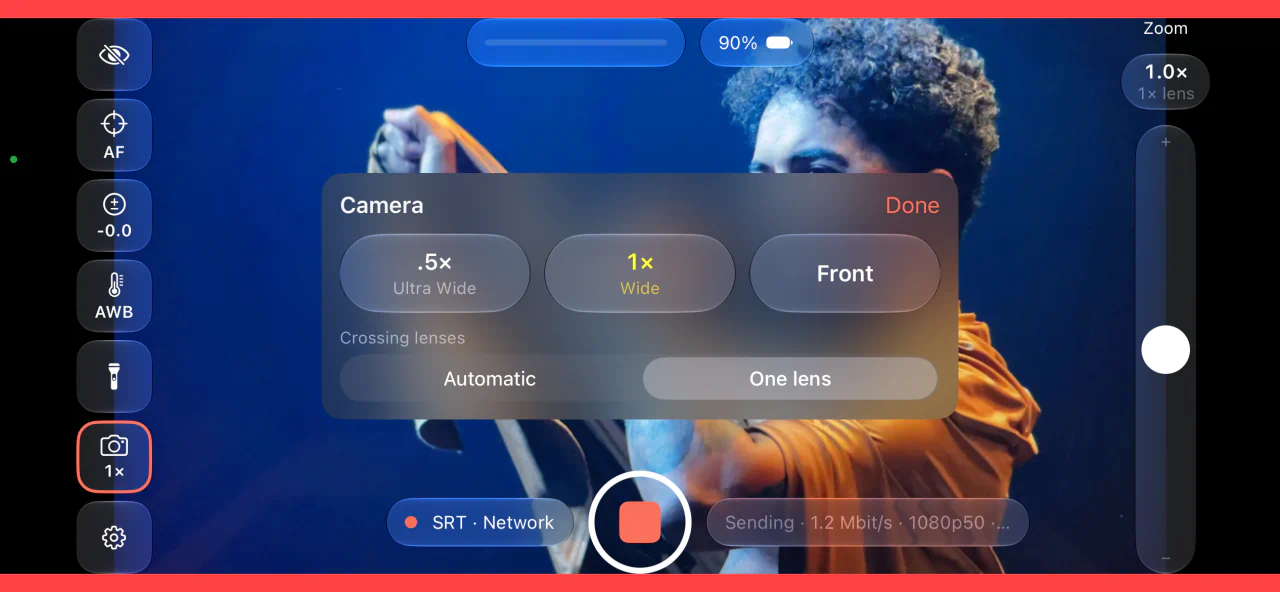
- Control from InterDirector: the director sets the lens, zoom, focus, exposure and white balance from the input’s Camera window, and the phone shows each change. The person holding it can turn that off.
- From anywhere: over mobile data through InterDirector’s relay, with no ports to open on a router.
- A bitrate that follows the network: when the picture falls short on its way to InterDirector, InterDirector and the relay tell the phone, which lowers its bitrate and climbs back as things recover.
Every lens, with the controls a camera operator expects.
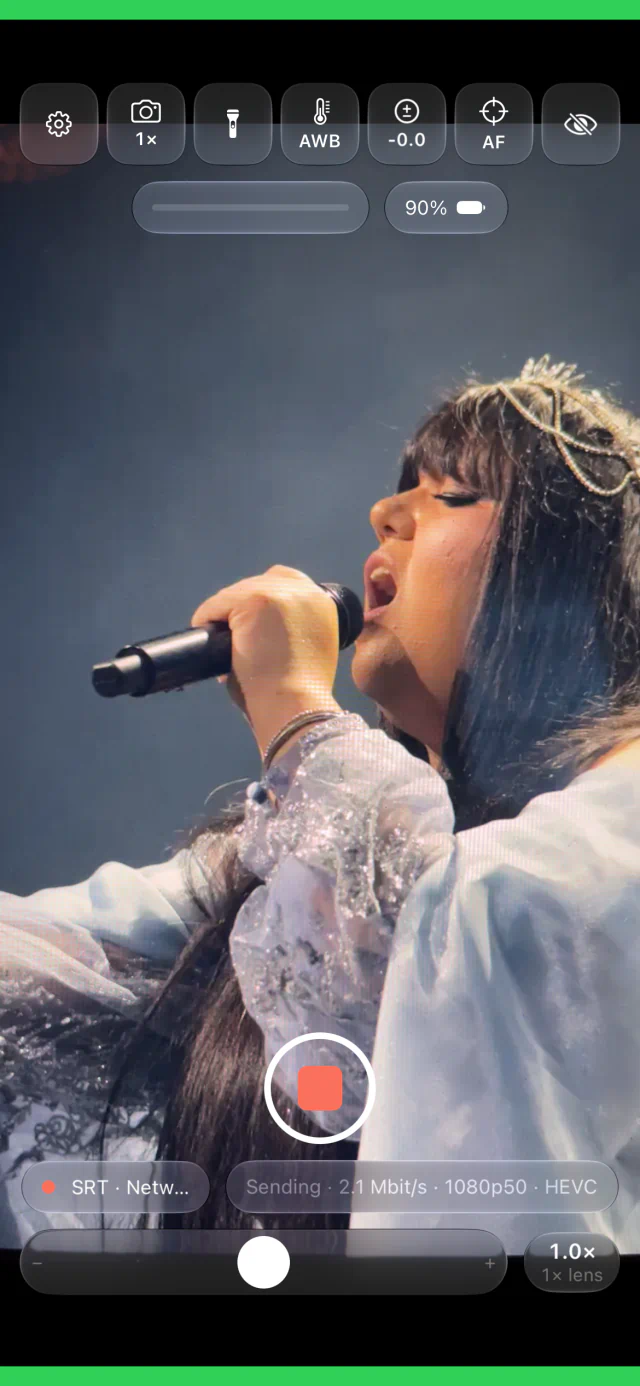
The camera’s settings sit down the side of the screen, each showing what it is set to, a tap away.
- 720p, 1080p or 4K, at 24 to 60 frames a second (29.97 and 59.94 too), in HEVC or H.264.
- Every lens on the phone, ultra wide to telephoto, and the front camera; one continuous zoom across the lenses, or stay on one.
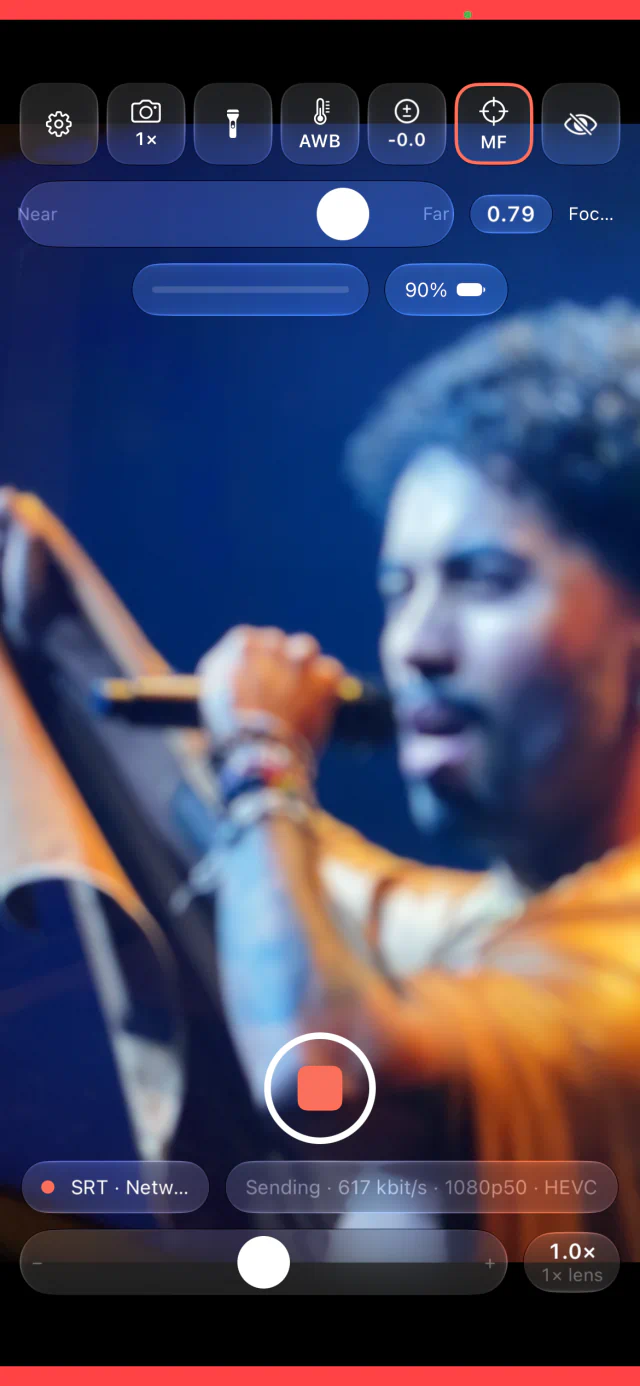
- Focus, exposure (ISO and shutter) and white balance automatic, locked or set by hand; a long press switches between automatic and the last manual setting.
- Stabilisation, anti-flicker for mains lighting, and the torch as a fill light.
- Held upright it still sends a landscape picture: the middle of it, or all of it with bars.
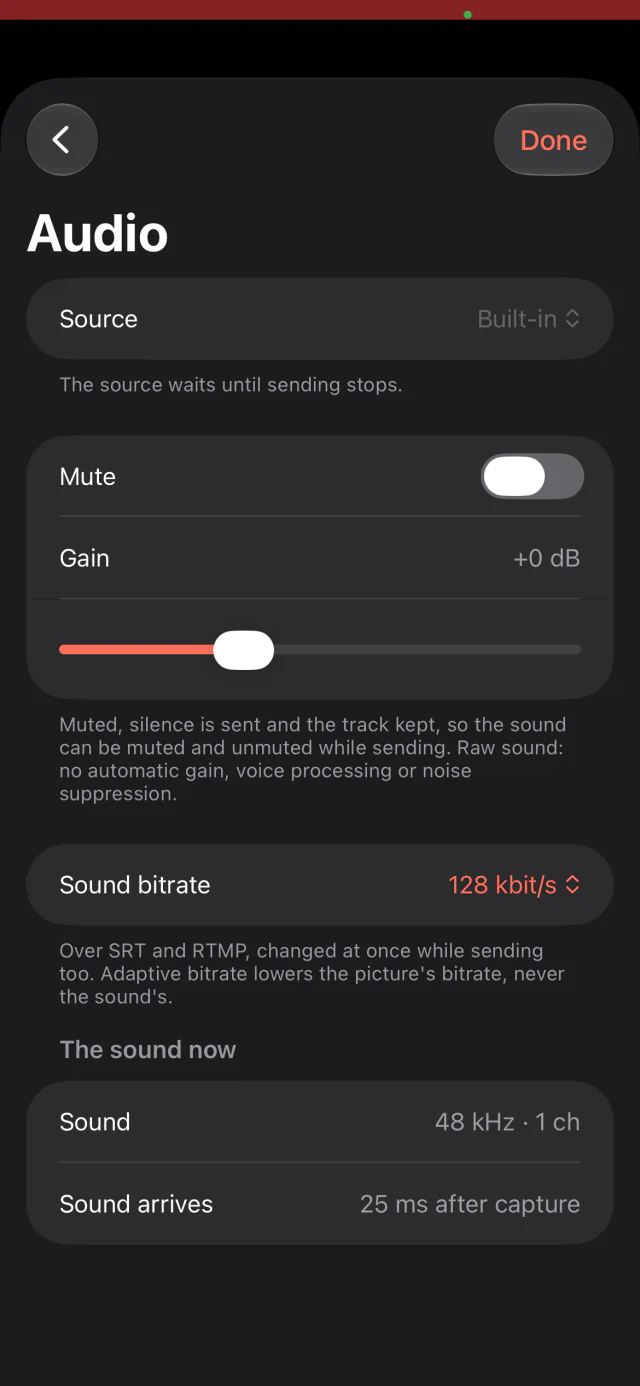
The phone’s microphone, or a better one.
Raw sound, with no automatic gain or noise suppression to pump in the background.
- The built-in microphone, mono or stereo, or a USB or Lightning microphone, each input on its own.
- Gain, a level meter, and a sound bitrate of your choosing.
- Mute while sending: silence goes out and the sound track stays, so nothing at the other end restarts.
Made to run through a whole event.
What matters when a phone sends for hours on end.
- Adaptive bitrate keeps the picture going when the network struggles, down to 300 kbit/s and back.
- Hide the controls for a clean screen; a small light still shows that it is sending.
- Simple mode keeps focus, exposure and white balance automatic and their buttons out of the way, for someone who only needs to point.
- The screen dims while sending, with reminders for Do Not Disturb and a low battery.
No account, no sign-in and no analytics. The picture and sound go only to the receiver you set up. The privacy notice says the rest.