Everything on the desk, in one app.
What InterDirector does today, area by area: a native Mac console for live multi-camera production, built for one operator. This page describes the released app, and the changelog lists every change.
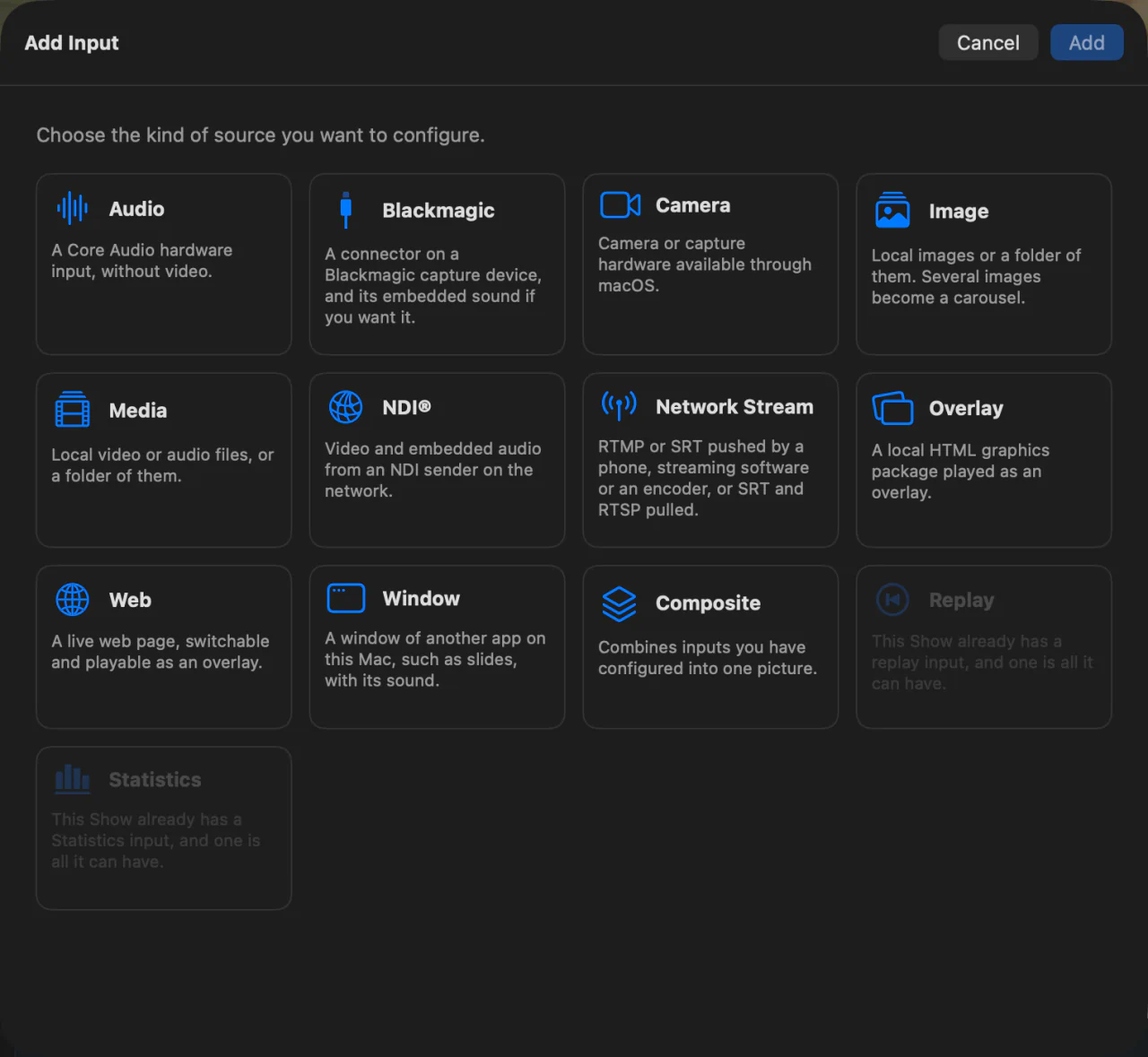
Thirteen kinds of input, switched, framed and coloured the same way.
Everything you bring in behaves like a camera: it sits on a card, goes to Preview, and takes a transition.
- NDI sources found on your network. Take the full stream, the small preview stream, or the sound alone. Each sender is told when it is on Program or in Preview, so a camera with a tally light shows it. An NDI camera that takes PTZ has a Camera window to pan, tilt and zoom it, store and recall nine presets, and set its focus, exposure and white balance; a hotkey, a rule, the Stream Deck or Companion can recall a preset or move it.
- Camera inputs for USB and UVC devices and capture cards.
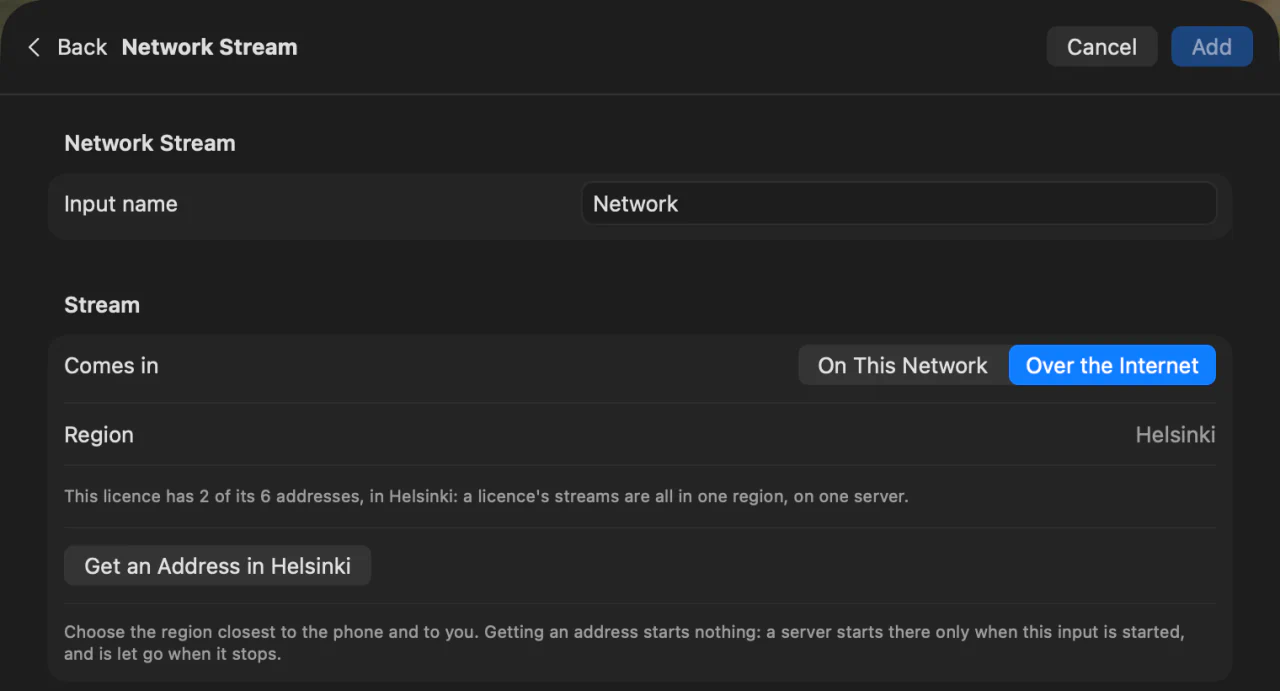
- Network streams: RTMP or SRT sent to your Mac from a phone, streaming software or an encoder, or SRT and RTSP pulled from a camera, with a latency you set.
- Over the internet, a phone on mobile data or an encoder anywhere sends through a relay server of ours, in Germany or Finland, with no open port or public address at either end. The server starts only when you press Start, and passes the stream on without keeping it. A QR code sets the phone app up.
- Blackmagic capture devices, through Blackmagic Desktop Video, with the sound embedded in the signal if you want it.
- Audio inputs from any Core Audio device: a mono channel or a stereo pair, with no picture.
- Web pages as live inputs, with a frame rate you set and a transparent background, and a window to interact with the page.
- Window inputs: one window of another app on your Mac, such as slides, a browser or a video call, with that app’s sound. It is remembered by app and title, and comes back by itself when the app or the window does.
- Image carousels and Media playlists, from files or folders, with loudness levelling and a crossfade between items, picture and sound. Animated GIF, PNG and WebP play at their own speed, transparency included. A Media panel shows every item with a picture: click one to make it the current item, drag to reorder, add or remove files, without restarting the input.
- Composite inputs that layer other sources, each framed with its own size, position, crop and rotation.
- Overlay and Replay inputs, described below.
- Statistics: a live card of the show in numbers. Each stream destination with its status and what it is sending, the CPU, GPU and memory of your Mac, the space left on every drive you record to with the recording time and dropped frames, and the Master meter. Choose which parts it shows. Like any source, it goes in the multiview, Preview, Program or a Composite.
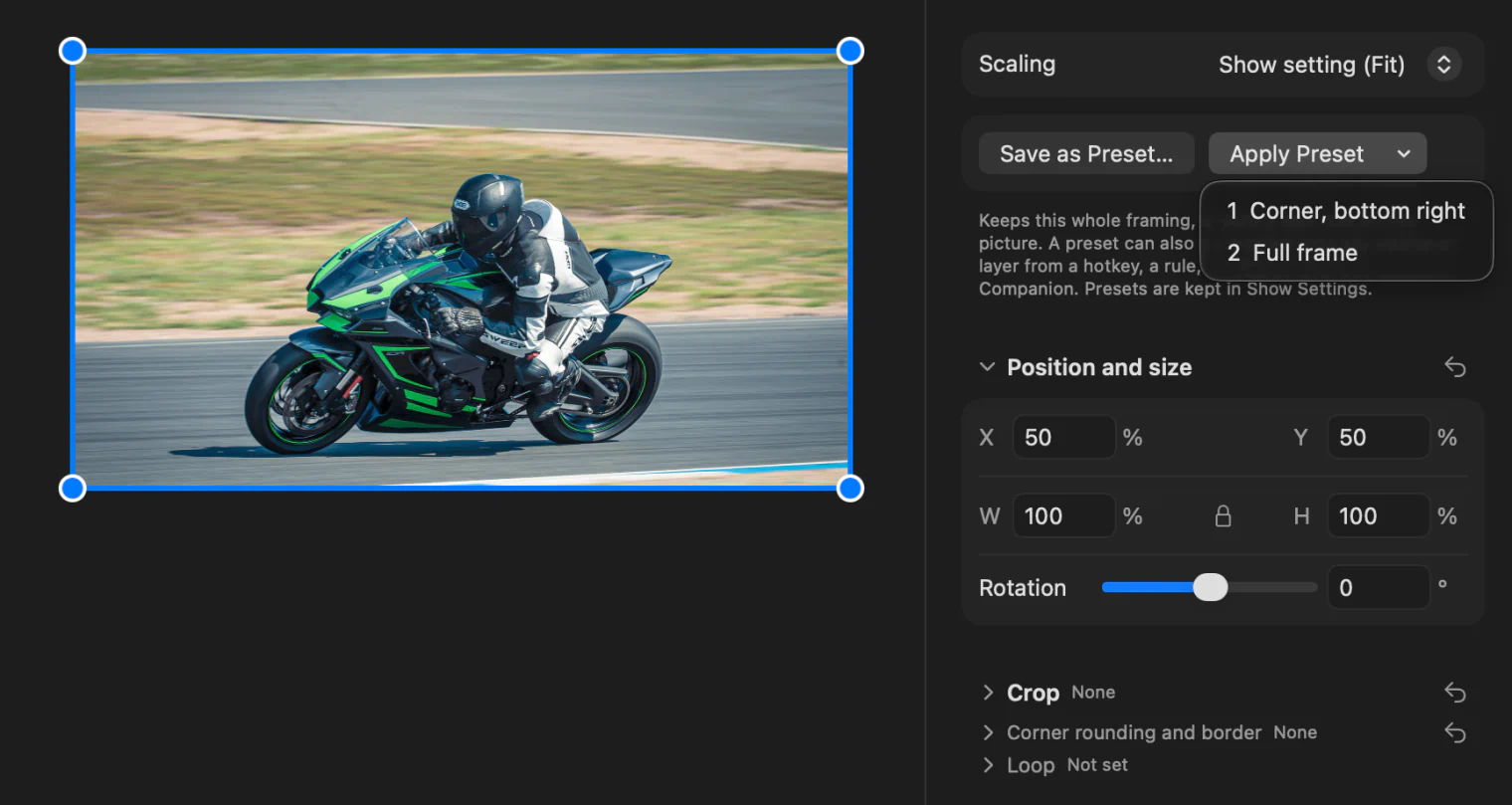
- Every picture can be framed (Fit, Fill or Stretch, then size, position, crop and rotation) and colour-corrected and graded, described below. Framing presets keep a whole framing to put back on any source or Composite layer from a key, the picture gliding there.
- Change a source’s type from its card’s menu, a camera into an NDI or Blackmagic source, a microphone into a camera, and it keeps its name, sound, rules and every hotkey and button that names it.
- A delay of up to four seconds per input lines up sources with different latencies, and Sync Cameras and Audio measures it for you: a phone on stage flashes and beeps, and InterDirector works out every camera’s delay against the microphone.
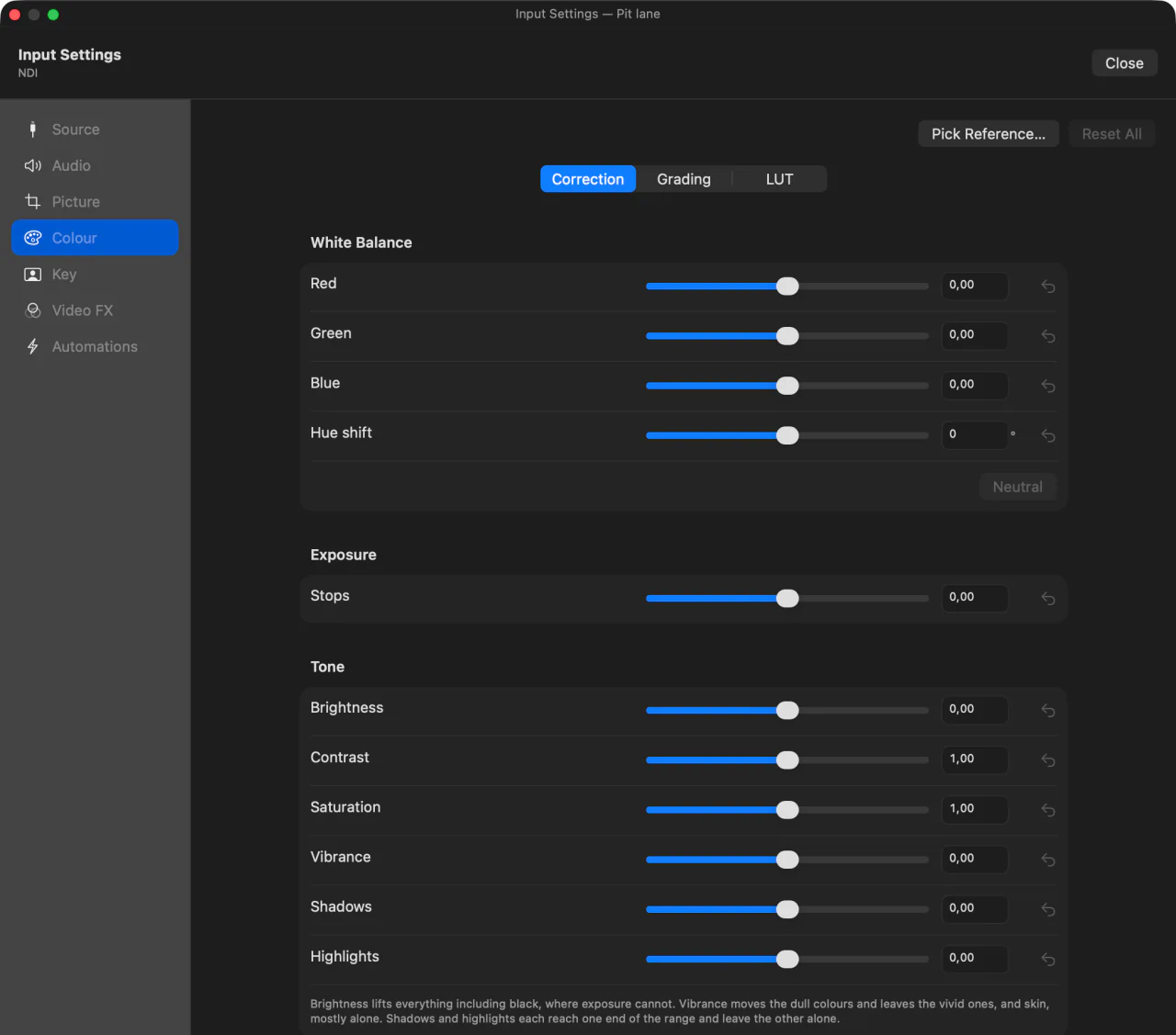
Match your cameras, then give the show a look.
Every picture input carries its own correction and grade, and Program shows each change as you make it.
- White balance from a reference you pick: freeze the frame, click something that should be grey or white, and the correction is set. Fine-tune red, green and blue by hand, with an overall hue shift.
- Exposure up to five stops either way, and tone: brightness, contrast, saturation, vibrance, shadows and highlights.
- Three-way grading: a hue, a strength and a luminance for the shadows, the midtones and the highlights, blended the way photo editors blend them, and never tinting pure black or pure white.
- Presets save a grade under a name for any input in any Show on the same Mac. A preset carries the grade alone, so each camera keeps the white balance and exposure it was matched with.
- LUTs: a
.cubefile applied as a look after the correction and grade, at any strength from 0 to 100%. - Chroma key for a green or blue screen: click the screen in a frozen frame to pick its colour, then set tolerance, softness and spill against the keyed result or its matte. The keyed presenter goes into a Composite or over Program as an overlay, and the correction applies to what stays.
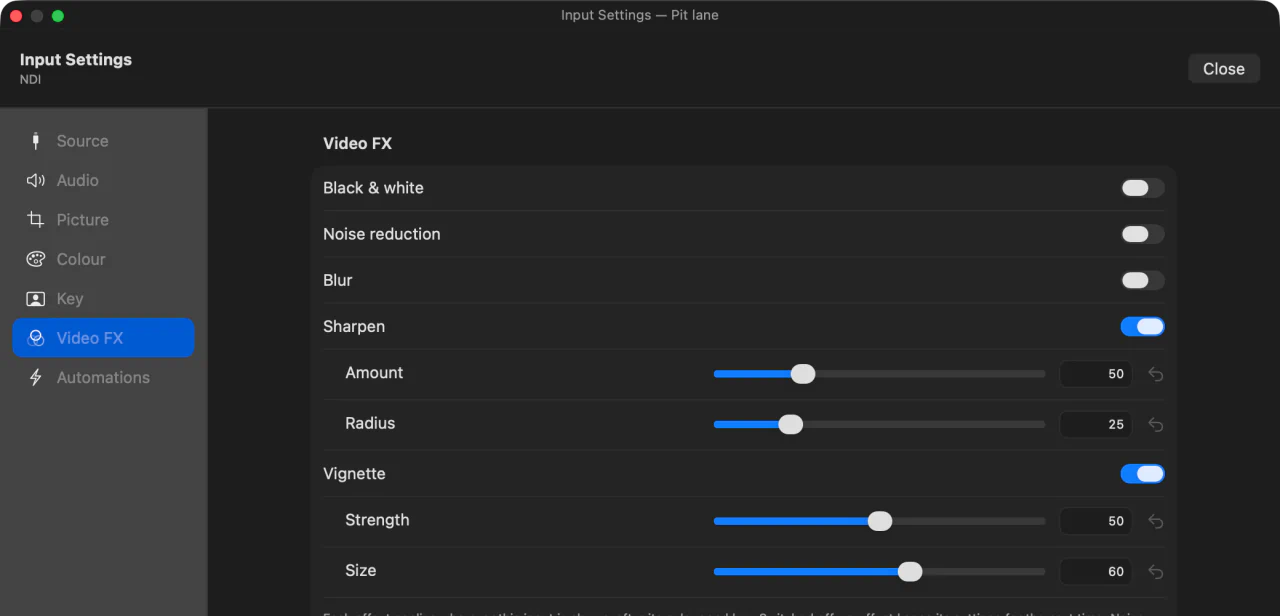
- Video FX: black & white, noise reduction, blur, sharpen and a vignette, each on its own switch, and each switchable on, off or either from a hotkey, a rule, a Stream Deck key or Companion during the show.
- A change shows on Program while you drag, so a picture can be corrected on air. To adjust it unseen, do it while the source is in Preview.
Preview, Program, and the transitions between them.
The two monitors that matter stay in view while everything else scrolls.
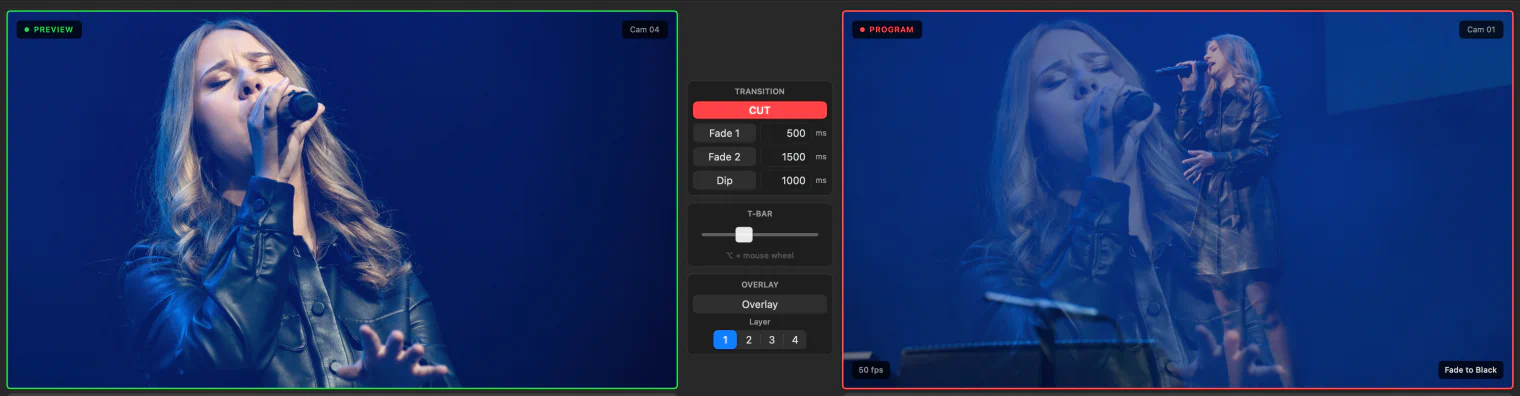
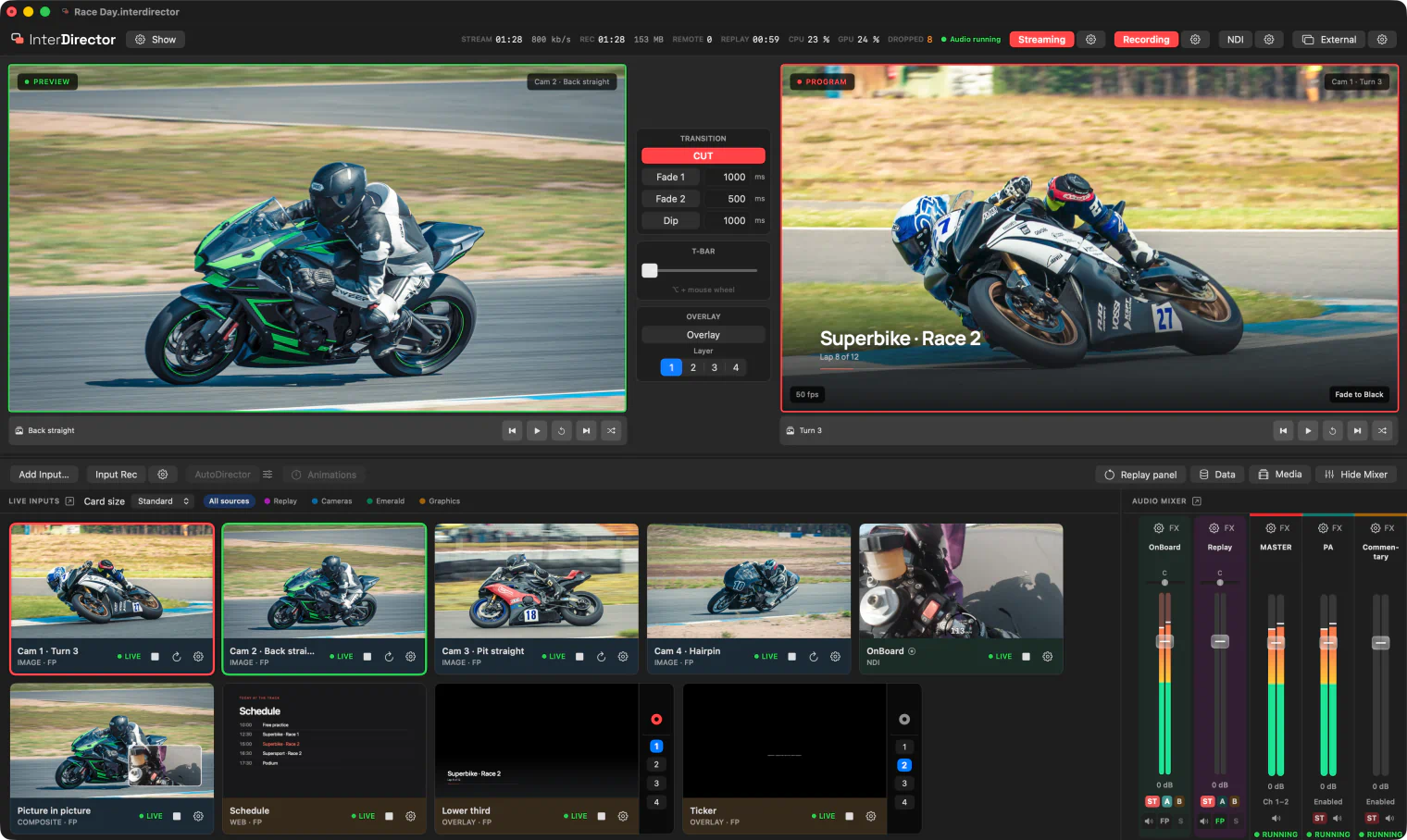
- Preview and Program side by side, with a tally on each input card.
- Cut, two Fade buttons each with its own duration, Dip through black, and Fade to Black.
- A T-bar between the monitors: drag it, or hold Option and scroll. Nothing commits until you let go: release at Program to take it, at Preview to cancel, or anywhere between to hold the mix.
- Audio sources set to Follow Program fade with the picture.
- A clean, full-screen Program on the external displays your Mac detects, and Preview or the multiview on displays of their own, described under Outputs and Multiview.
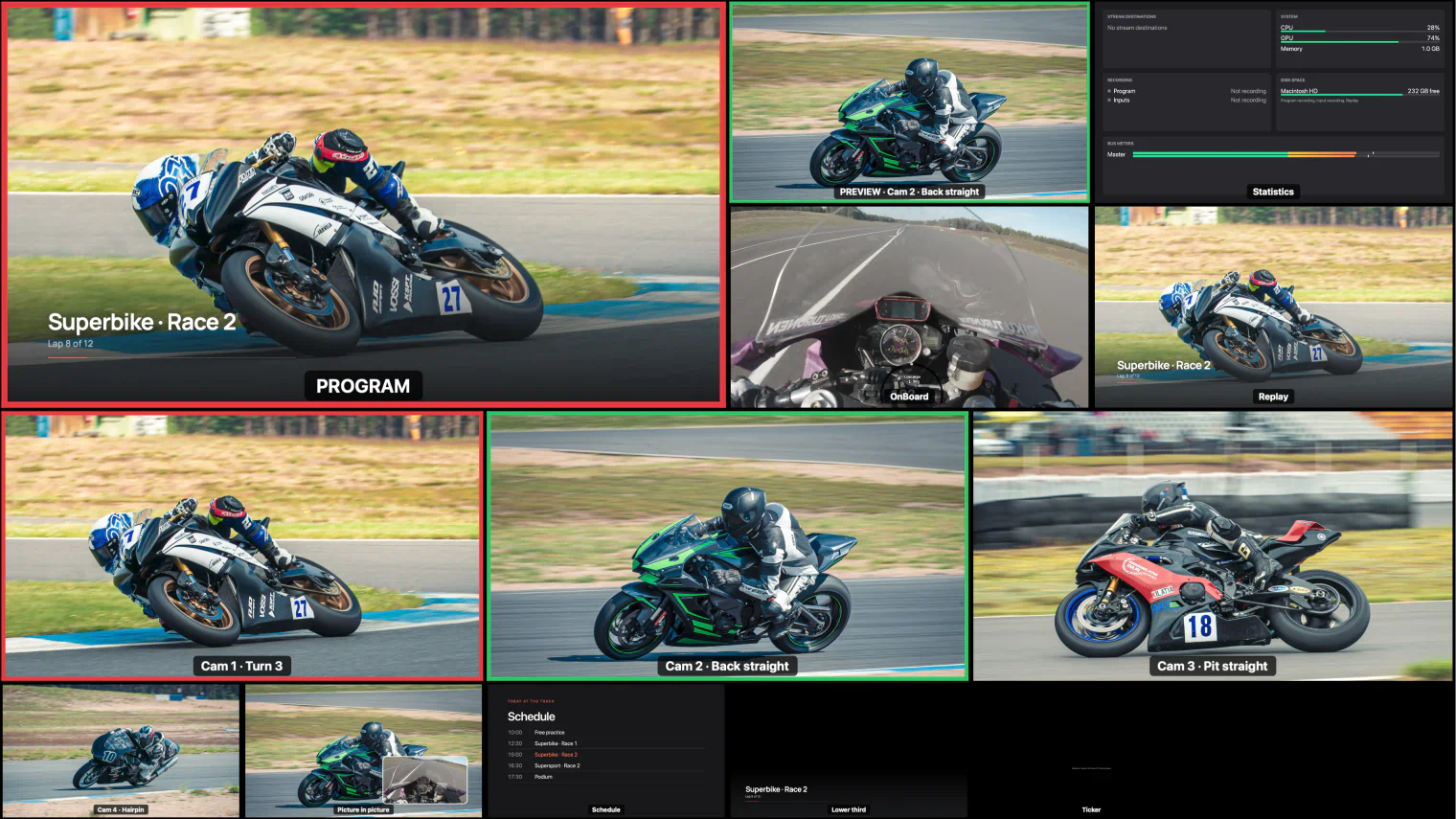
- Input cards in five sizes show every source live. The input cards, audio mixer, replay, data and media panels can each move to a window of their own.
- A Show runs at 720p, 1080p, 1440p or 4K, and at 24 to 60 frames per second.
Build your own monitor wall.
Lay out the windows you want, the size you want them, and show the wall on any display or send it over NDI.
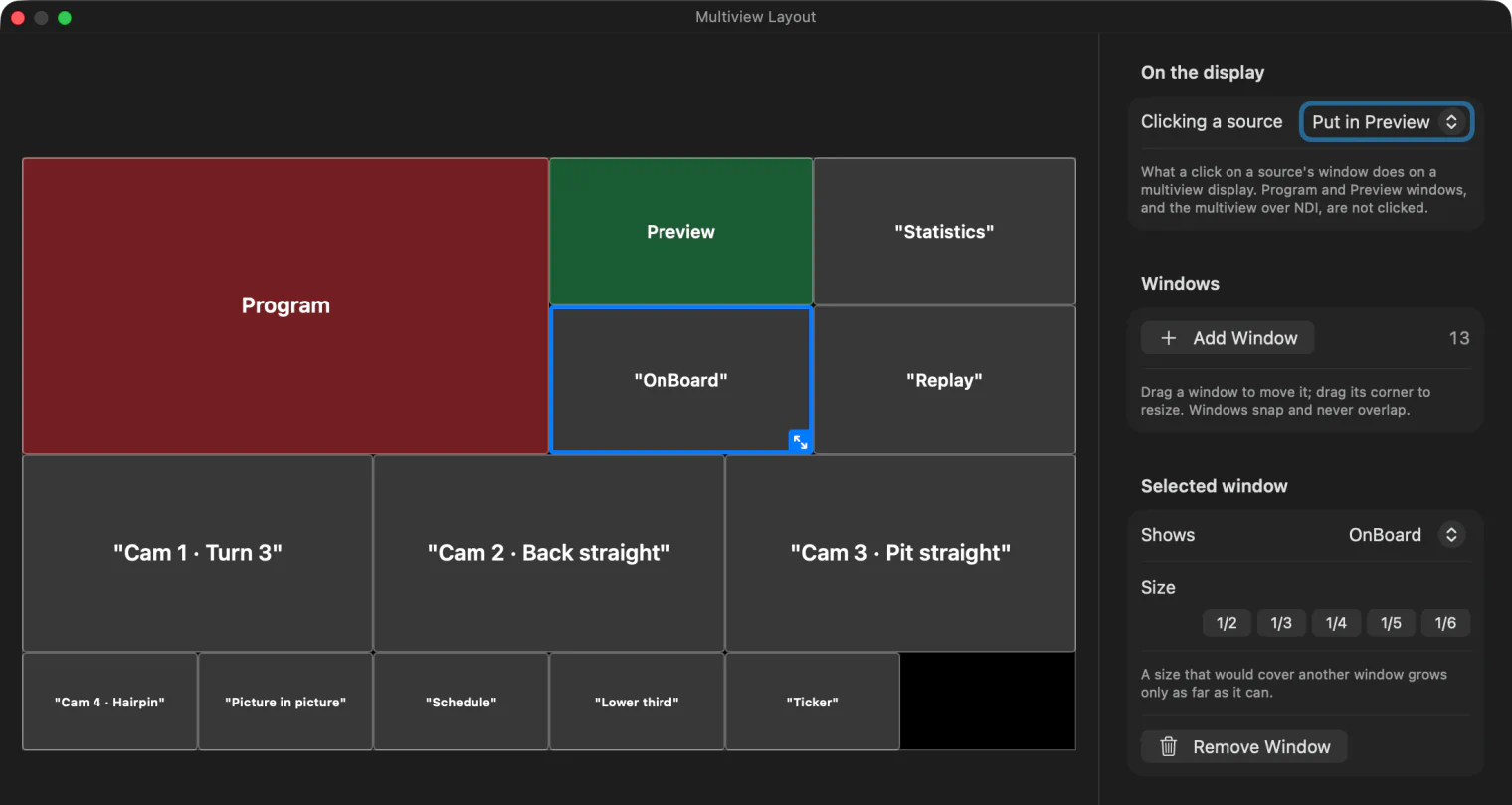
- A layout builder: add windows, drag them into place and resize them by a corner. They snap into line with each other and never overlap, so every source is seen whole. Size buttons make a window a half, a third, a quarter, a fifth or a sixth of the width.
- Each window shows an input, Program, Preview or nothing, with its name along the bottom and a tally border: red while it is on Program, green while it is in Preview.
- Presets: four come with the app, from a 2 × 2 grid to a large Preview and Program above eight sources, and you can save your own on your Mac for every Show. Loading one keeps what your windows showed, in reading order.
- Show it on as many displays as you like, each fitted or filled to its screen. Until you make a layout, a display shows Preview and Program above your first eight sources.
- Click a source on the multiview display to put it in Preview, or to cut, fade or dip it to Program, if you choose; the window under the pointer is outlined first.
- Over NDI: send the multiview as its own NDI source, at your Show resolution and frame rate, with no sound, for a monitor in another room or a machine with no cable from this Mac.
- The layout is saved with the Show, and a wall already on air changes as you edit it. The sources it shows stay live even when their cards are collapsed.
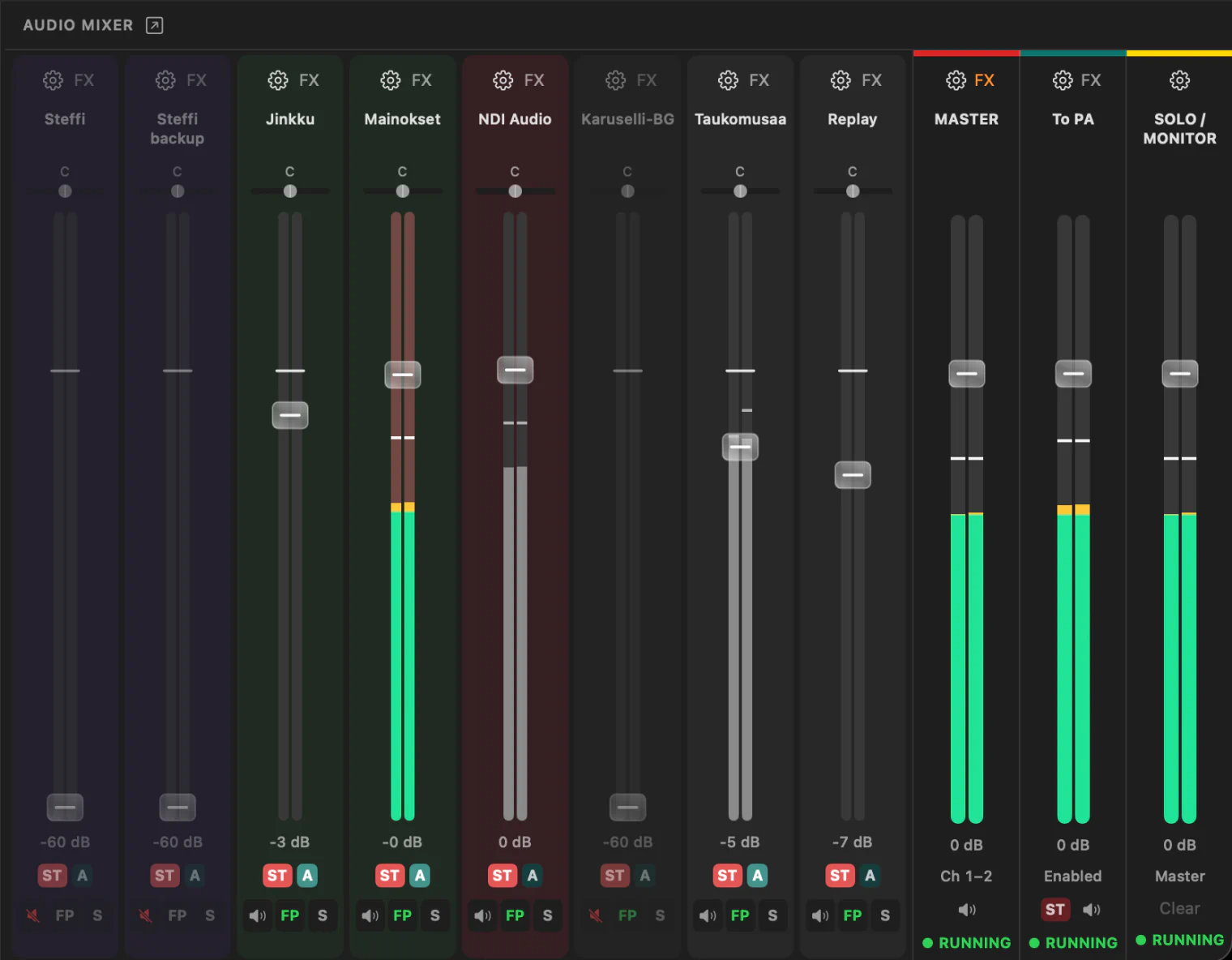
Master and up to eight buses, and VST3 on every path.
A mixer built for a solo operator: simple routing, real processing.
- Master and up to eight stereo buses of your own, named and coloured, each with a fader, a meter, a mute and its own chain of effects. A bus needs no output of its own, and can return to Master as a submix.
- Every source has gain, mute, routing to the buses, and Follow Program, which brings a source in and out with the picture.
- Solo / Monitor: the S on any source strip sends it to your headphones, after its fader, even while it is muted or off Program. Several can be soloed at once, and nothing that goes out changes. With nothing soloed, it plays Master, so on a new Mac you hear the show on its own speakers or headphones with nothing to set up.
- Meters that keep their colour by level, green up to −18 dB, then yellow, orange and red, with a peak hold that turns red within 1 dB of clipping. Double-click a fader to set it to 0 dB.
- VST3 effect chains on every source and every bus. Native Apple Silicon plug-ins; effects, not instruments. New and updated ones are found by themselves at launch, read in a process of their own so one that crashes is left out rather than taking InterDirector with it, and a plug-in that fails during a show is bypassed while the rest of the chain carries on.
- Give a camera the sound of one or more other inputs: tick every microphone that should come up with it on Program, its own sound too if you like, each on its own mixer strip.
- A sync delay per input, from zero to four seconds.
- Media files are levelled to a loudness target: each is measured once to the EBU R128 standard and played at a fixed gain.
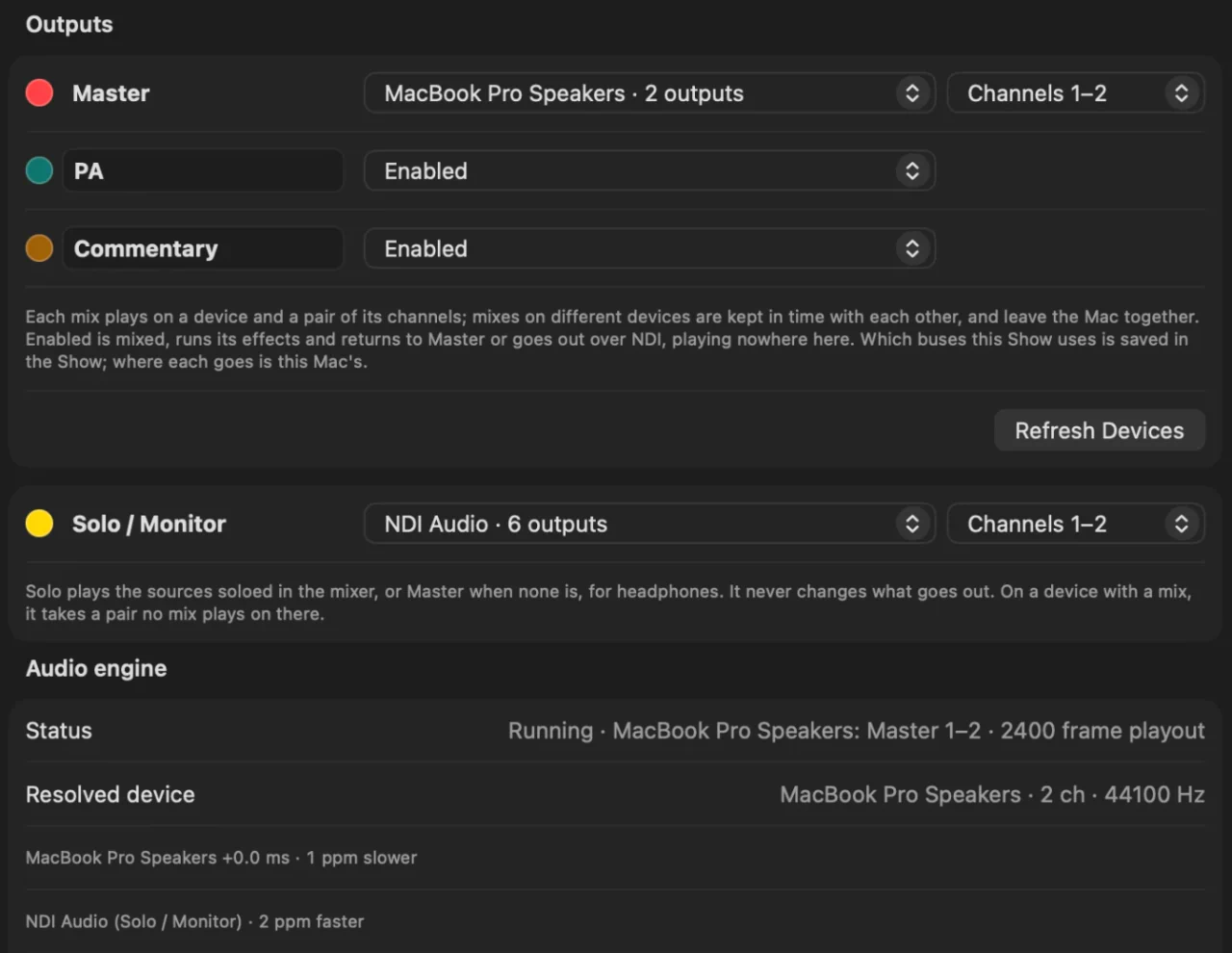
- Master, each bus and Solo / Monitor each go to a device of their own and a stereo pair of its outputs, or a bus to none, set per Mac: Master to an interface, an interpreter’s bus to another, your headphones to the Mac. Every device is kept in time with the Mac, so the sound never skips however long the show runs, and changing where a mix goes does not stop the stream or the recording.
- Effects that look ahead, such as limiters and noise reduction, delay the sound a little; every picture waits for them too, so lip sync holds after you add or remove one.
Graphics that update themselves.
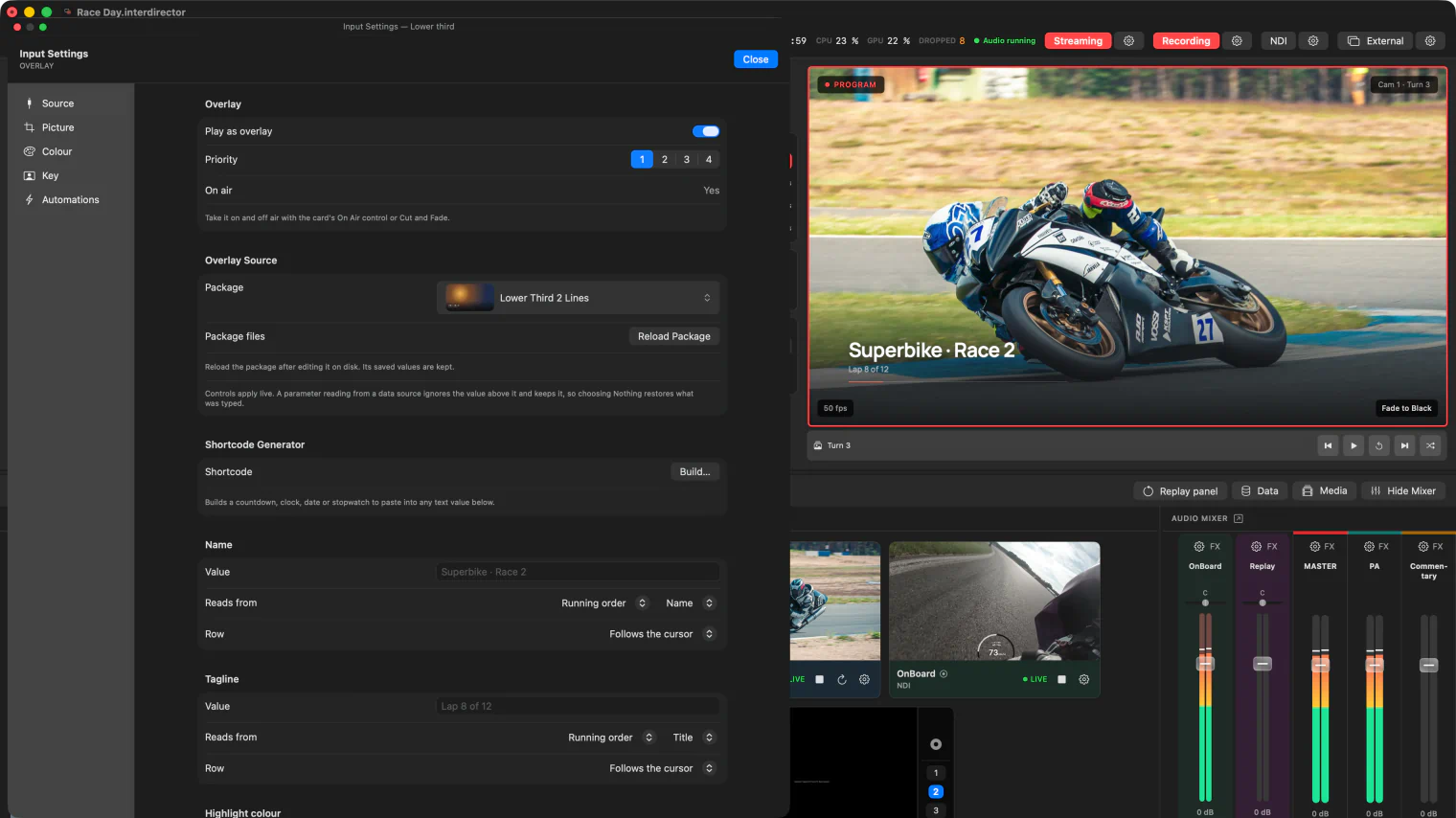
Overlays are HTML, so they look the way you design them, and during a show you change only the few controls each one offers.
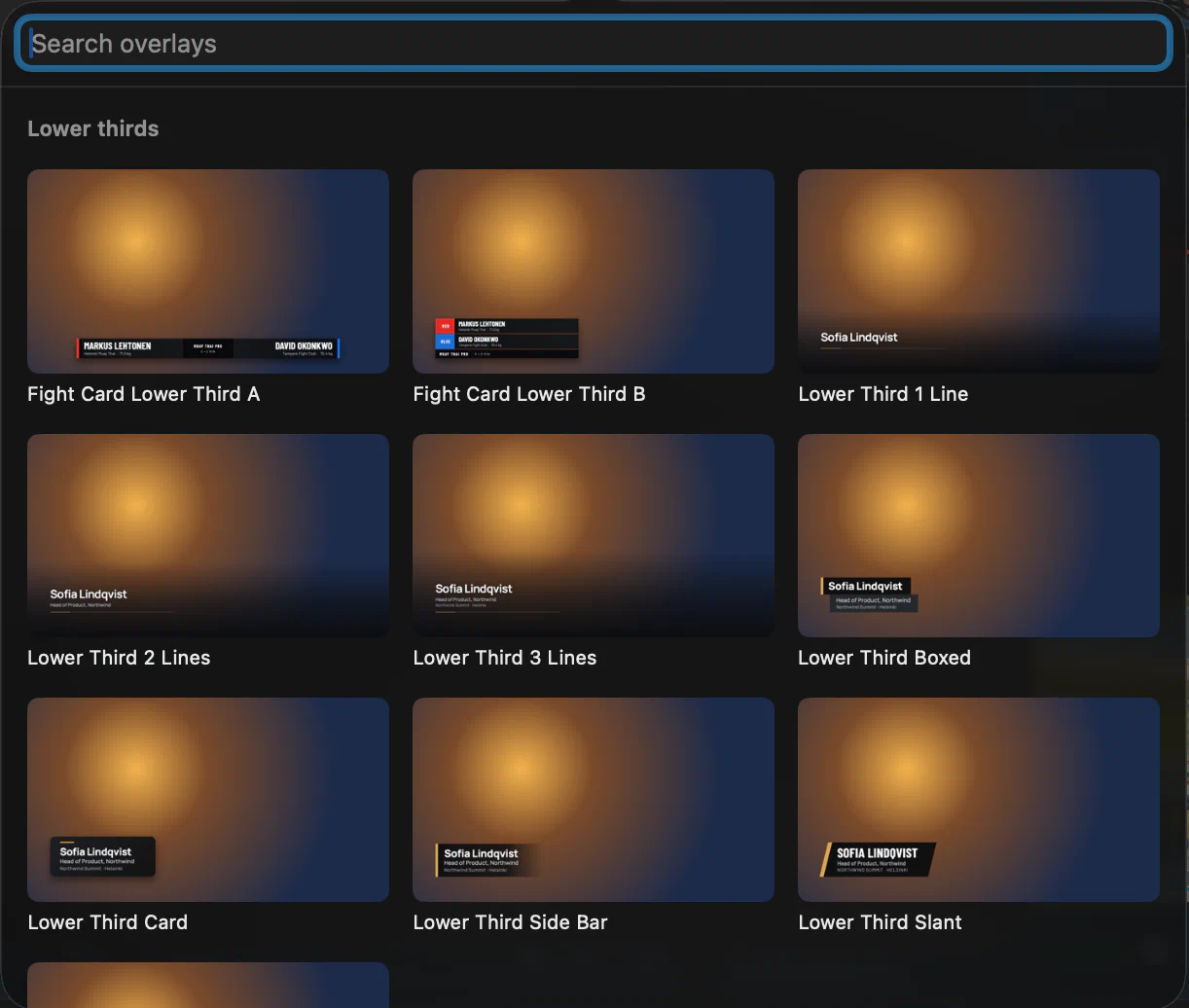
- Bring your own overlay package, or start from the 25 that come with the app, chosen from a gallery of pictures: ten lower thirds, a logo bug, a badge and a QR code, quotes and headline bars, a schedule, a standings table and a player card, a title card, a ticker, rolling credits and logo scrollers.
- Each package exposes its own controls (text, numbers, colours, choices, on/off, images and image folders), editable live without touching the design.
- Overlays fade or slide in and out and can scroll. An overlay you have taken stays up across every switch. Four priority layers decide what sits on top.
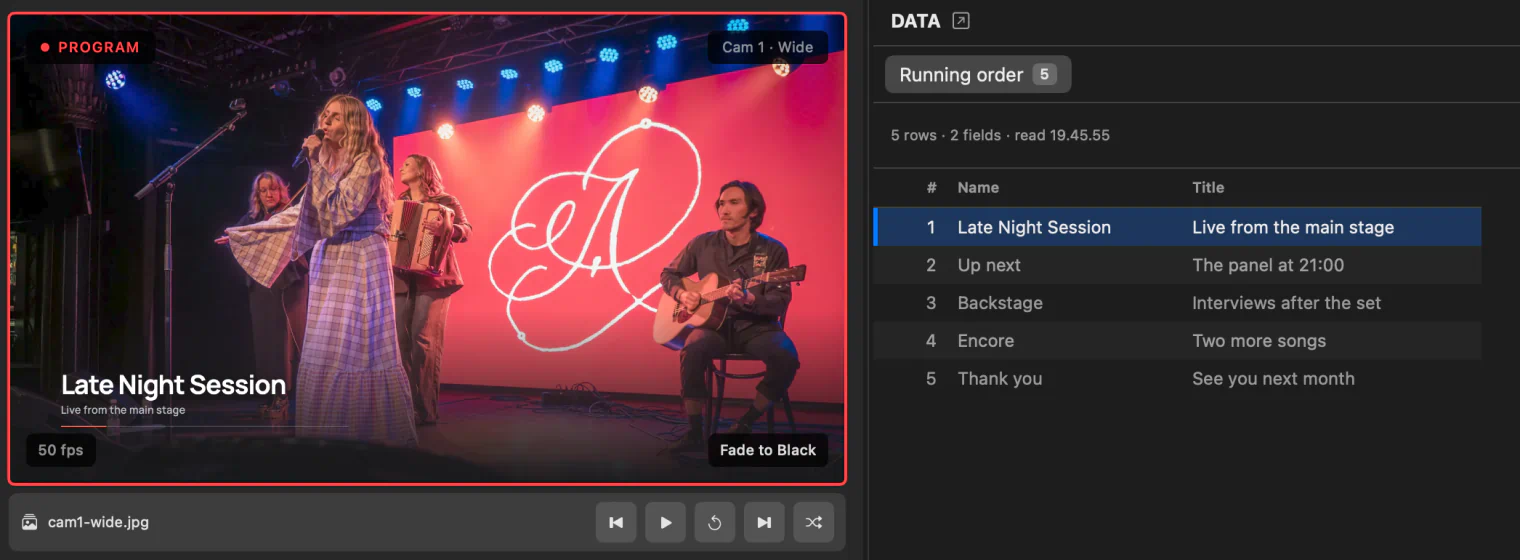
- Feed them data: CSV or JSON from a file or a web address, Google Sheets included, refreshed on a schedule from one second to an hour.
- Bind any text to a data field. A Data panel lists the rows, and a cursor moves through them.
- Type a countdown, a clock, a date or a stopwatch into any text and it runs by itself. A generator in the overlay settings builds each one, with dates in the language you choose.
Stream, record, send.
Every output runs on its own, so one failing does not take the others with it.
- External output puts a clean, full-screen Program on every display you choose, each scaled Fit, Fill or Pixel Accurate, and can give Preview a display of its own, labelled so nobody takes it for Program, or the multiview, described above.
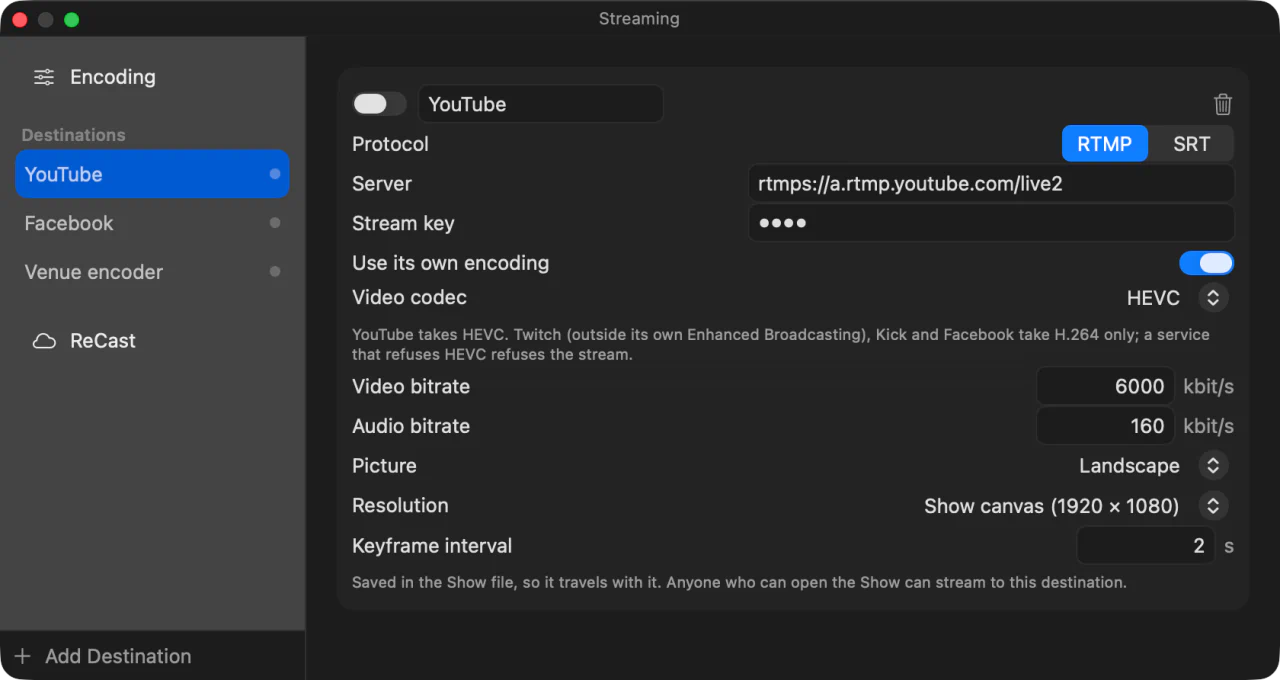
- Stream to RTMP, RTMPS and SRT destinations, several at once, from a single encode, in H.264 or HEVC, which gives a better picture at the same bitrate where the service takes it. The stream adapts its bitrate to the connection. A destination can have its own encoding instead, with its own codec, resolution, bitrates and keyframe interval, and can be portrait for Shorts, Reels and TikTok, 1080 × 1920 or 720 × 1280: Program turned a quarter, fitted with black above and below, or cropped from its middle.
- Record Program as a QuickTime file with HEVC, H.264 or ProRes video and 24-bit PCM sound, written in one-second fragments so a crash still plays back. Record without overlays to keep a clean picture for the edit, while the stream and the other outputs carry the graphics.
- Mark cut points while Program records, from a key or a Stream Deck button, then export the recording split at every mark, one file per piece, copied without re-encoding.
- Input recording writes each armed input to a file of its own, beside Program, described below.
- Program also leaves as NDI, with Master and each bus available as sound-only NDI sources and the multiview as a picture of its own, and out of a Blackmagic device through Desktop Video, when the device offers the resolution and frame rate of the Show.
- In a video call: InterDirector has its own camera and microphone, which Google Meet, Zoom and Teams list like any other. The camera shows Program or one input; the microphone plays Master or a bus, delayed to meet the picture.
- InterDirector ReCast, for the hours you buy: send one high-quality stream from the venue instead of one per platform, and ReCast sends it on to all of them from the cloud; if the venue's upload dies, your viewers see a slate, never a loading spinner, until Program is back. Set its platforms in the Streaming window, saved with the Show for the next time.
- Whether NDI and External are on is saved with the Show, so they come back on when it opens, after a crash or a restart too. Streaming and recording start only when you press them.
- Stopping a live output asks first.
The raw cameras, on files of their own, for the edit afterwards.
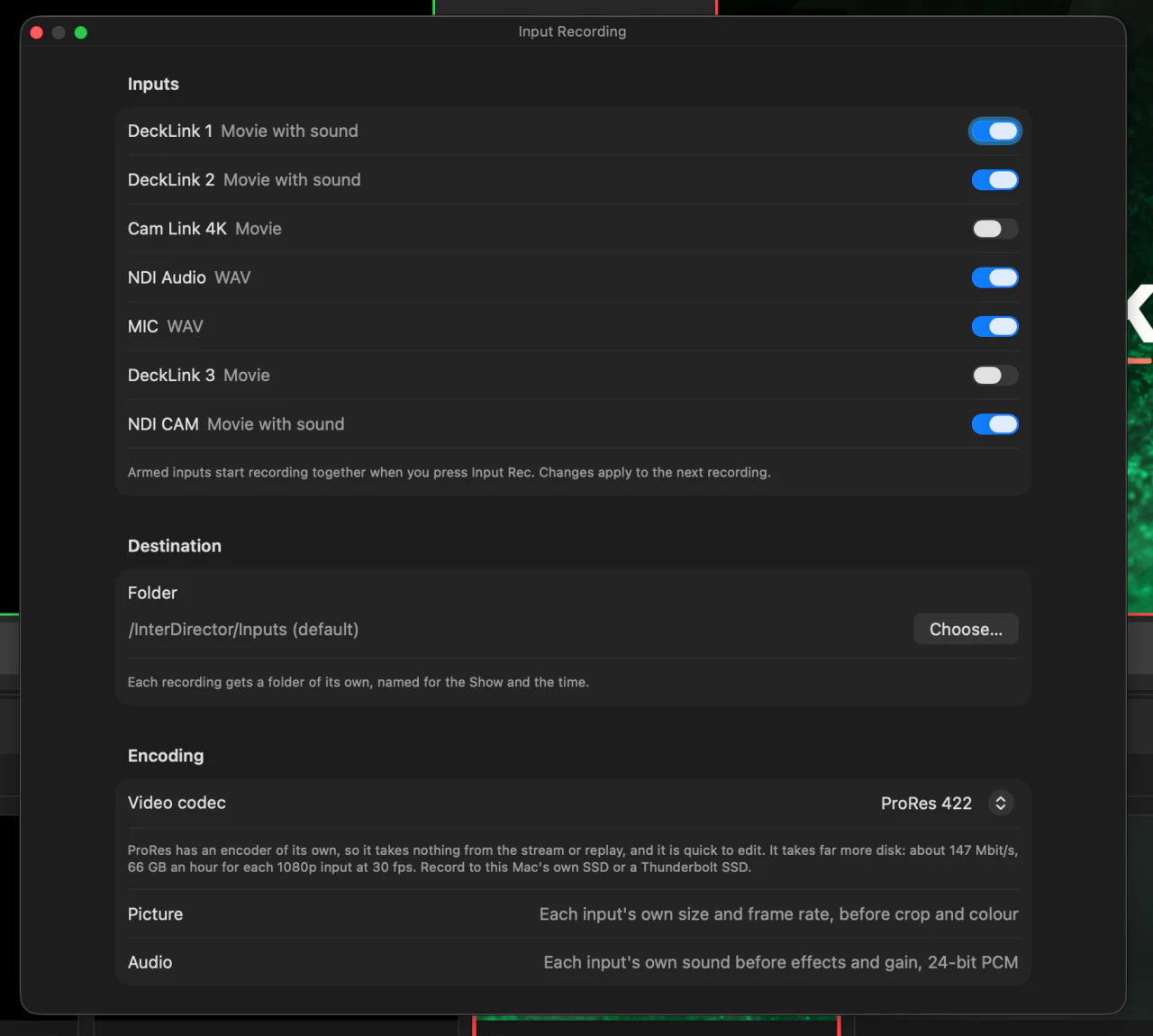
Arm the inputs you want, press Input Rec, and each is written to a file of its own, exactly as it arrived.
- Arm any live input: NDI, network streams, USB cameras and capture cards, Blackmagic and Core Audio devices, and other apps’ windows. What is armed is saved with the Show.
- One Input Rec button starts every armed input at the same instant, into a new folder named for the Show and the time. A hotkey, a Stream Deck button or a rule can press it too.
- The clean signal: each picture at its own size and frame rate, before crop, framing and colour, with its own sound before effects and gain, as 24-bit PCM. An input with sound alone is written as a WAV.
- Record in HEVC, H.264 or ProRes 422 Proxy, LT, 422 or HQ. ProRes is encoded apart from the stream, so many more inputs can record at once without the stream dropping frames. It needs an M1 Pro, M1 Max or any later Mac.
- How many inputs can record at once depends on your Mac and its disk. If the recorders fall behind, Input Rec turns amber and names the input that is behind, and the others go on.
- Files are written as they go, a second at a time, so a crash still leaves them playable.
Instant replay of your own Program.
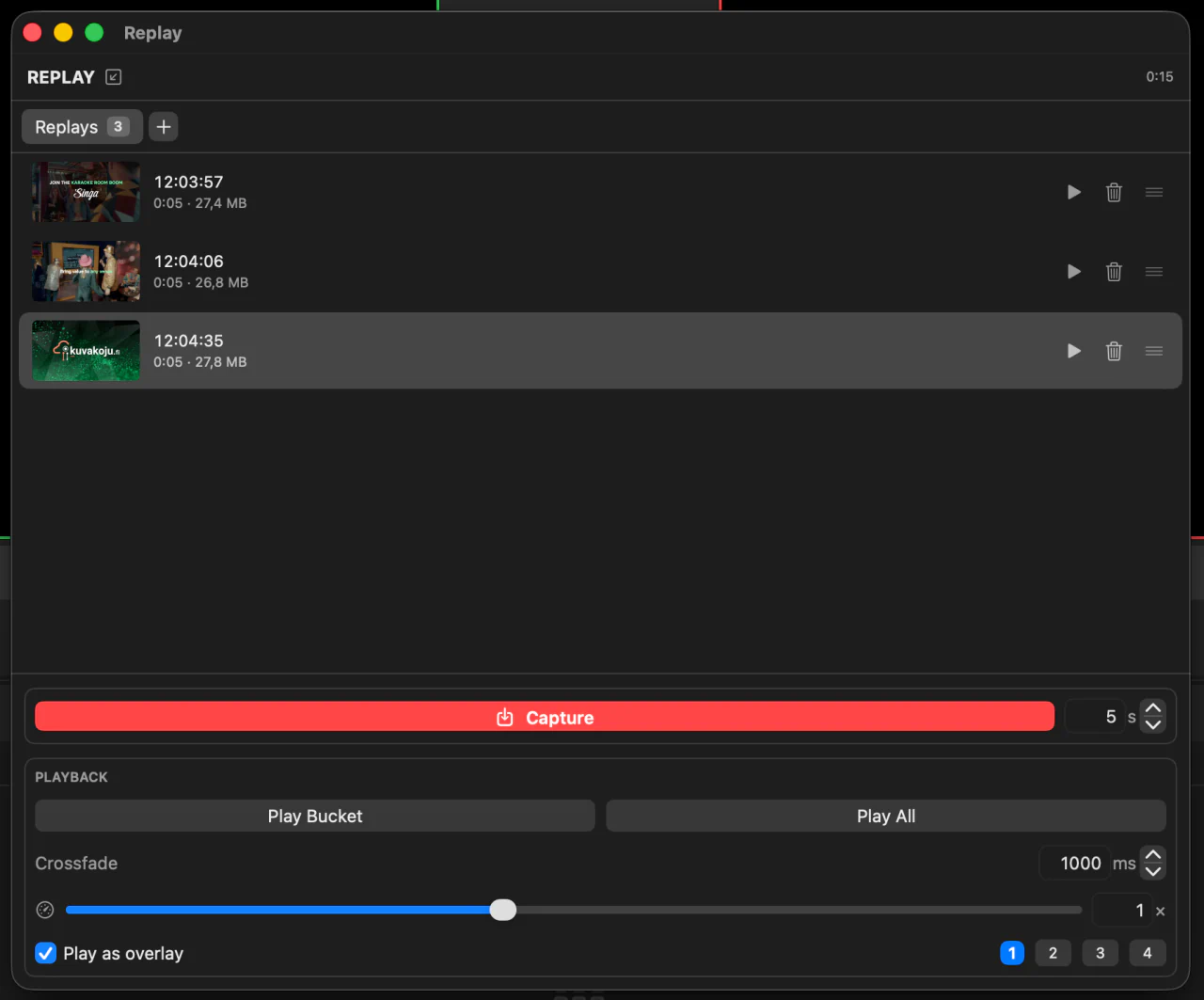
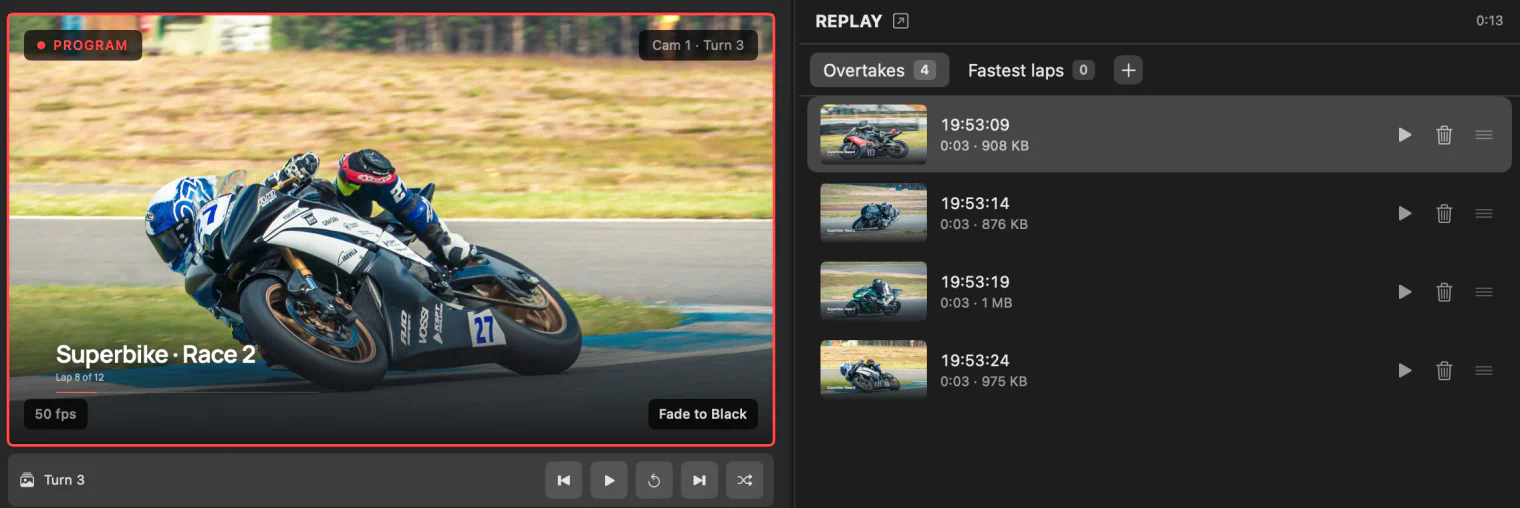
Add a Replay input and InterDirector keeps a rolling buffer of Program, so the moment that just happened can be played again.
- The buffer holds the last minute of Program by default, with its sound, and anything from ten seconds to five minutes.
- Capture stores the last few seconds, ten unless you say otherwise, as a clip in a named bucket: goals, interviews, whatever the show needs.
- Play a clip, a whole bucket, or everything, with a crossfade between clips from a tenth of a second to five seconds.
- Trim a clip: mark its In and Out on the strip under Preview, and it plays only that part, in a bucket too. Nothing is cut from the file.
- Slow motion down to a quarter of normal speed, or up to double.
- A replay can take Program like any other source, or play over it on an overlay layer you choose, so what is on air stays on air.
- Clips are ordinary files, MP4 or QuickTime MOV with a ProRes buffer, in a folder of their own, and come back in their buckets when you reopen the Show.
- Capture and play from a hotkey, a Stream Deck button or a rule, and have a rule act when a replay finishes.
Hotkeys, Stream Deck, Companion, and rules.
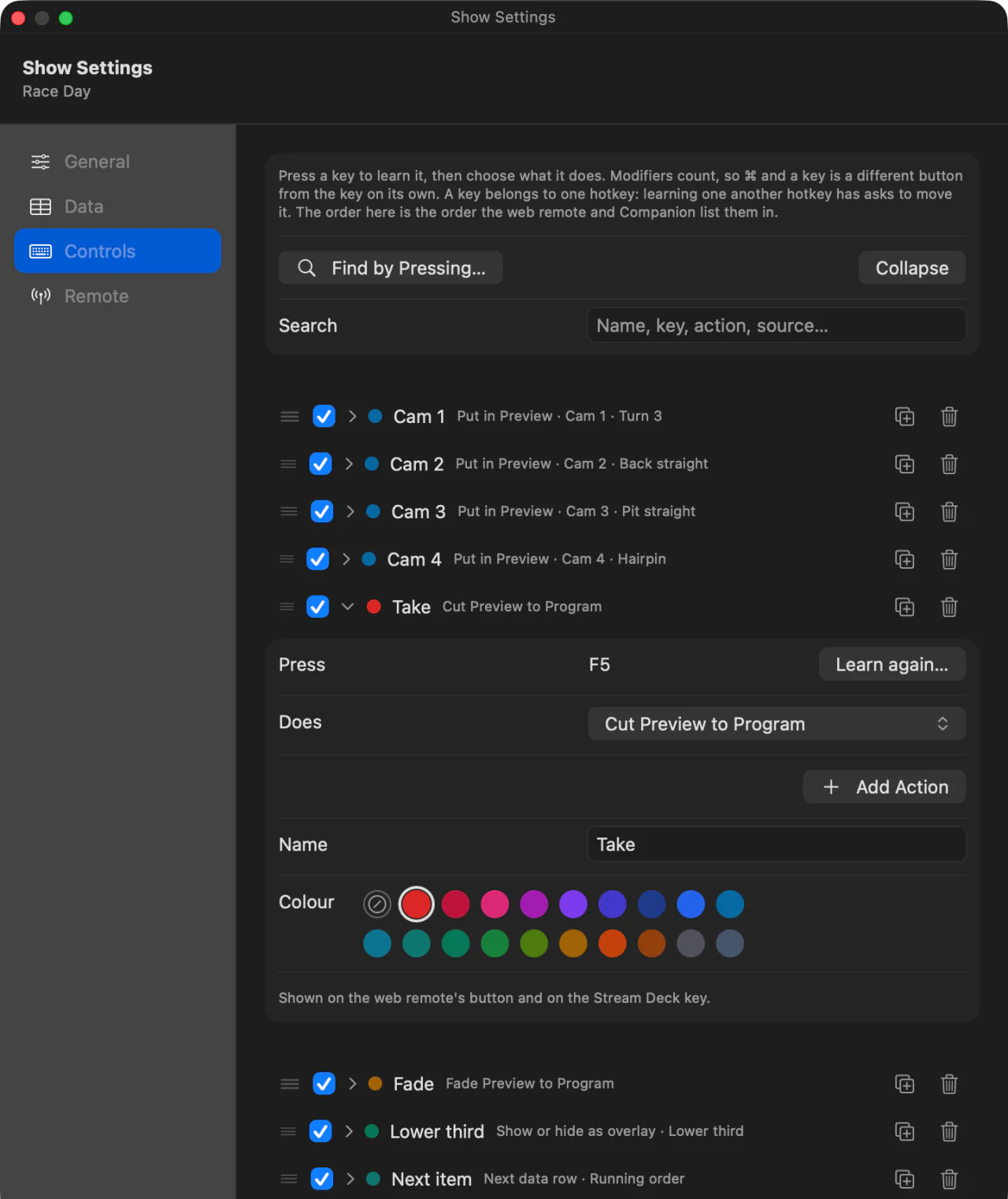
What you do again and again during a show can go under a finger.
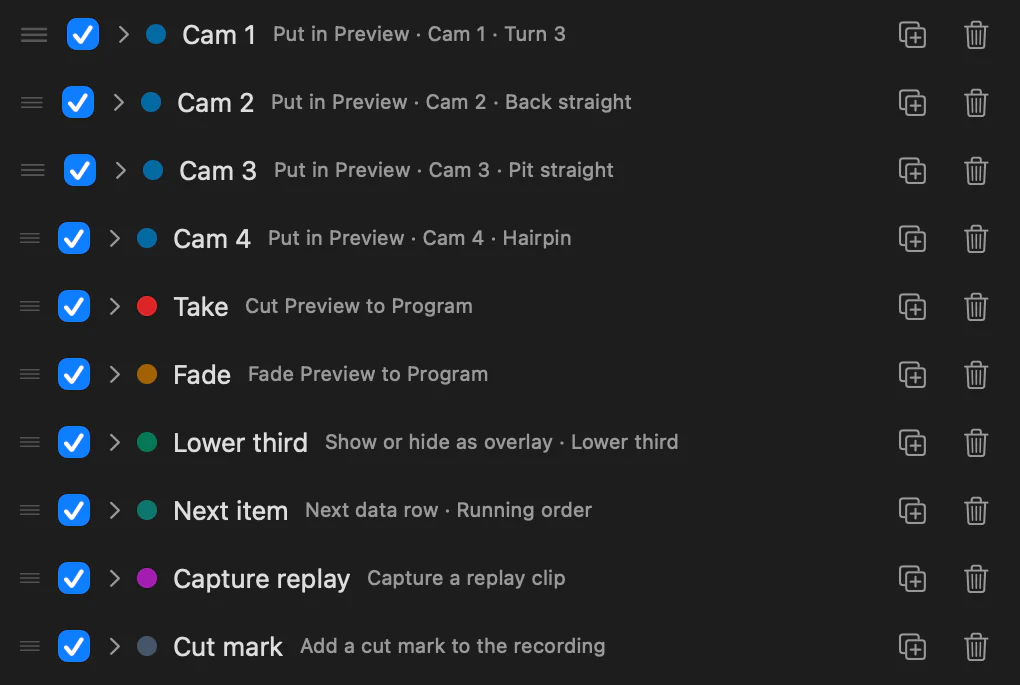
- Any of 68 actions (switching, overlays, media playback, replay, mute and gain, Video FX, framing presets, camera presets, data rows and outputs) can go on a keyboard shortcut.
- The Stream Deck plug-in installs with the app, and its keys light up to show state.
- A Bitfocus Companion module puts switching, overlays, mute, outputs, replay and your hotkeys on any surface Companion drives, with tally, on this Mac or from another machine. Ready-made buttons take each input to Preview, or straight to Program.
- A key or Stream Deck button belongs to one hotkey, and hotkeys can be given colours, put in order and searched.
- Other operators can switch from a browser with the web remote, described below.
- Rules say: when this happens to a source, wait a moment, then do this. Loops are refused, with the reason shown.
- The auto director takes a rotation of sources in turn, each for as long as you set, cut or faded. Any take of your own turns it off.
- A documented control API, over a WebSocket or plain HTTP, lets your own remotes, panels and scripts read the show and do whatever a hotkey can.
Let your crew switch from a browser, on site or from anywhere.
A camera operator on a phone, a graphics operator on a tablet, a producer at home on a laptop. Nothing to install on their devices.
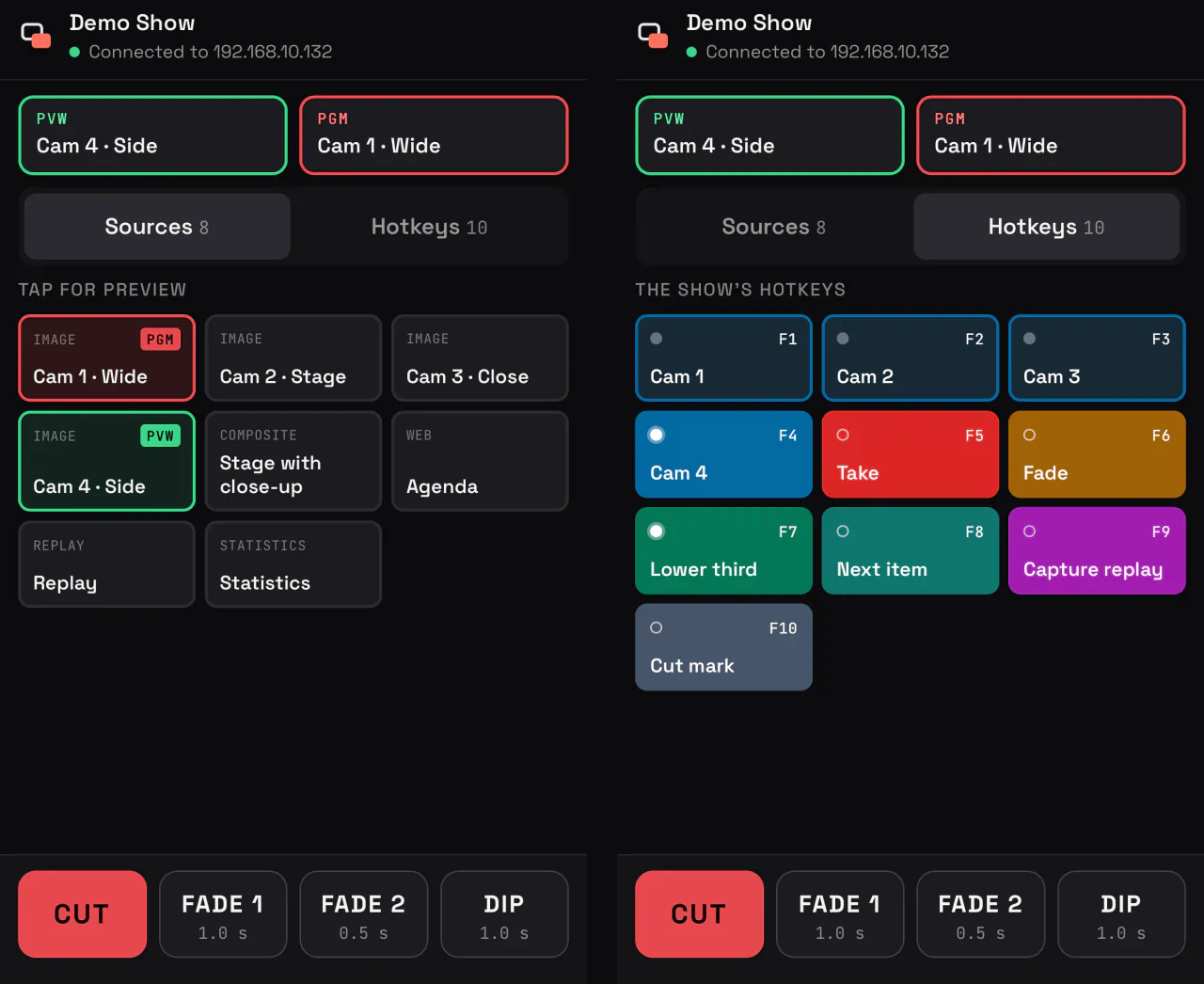
- From any browser, a remote puts sources in Preview, takes them to Program with Cut, Fade 1, Fade 2 or Dip, and presses your hotkeys, which carry their names, colours and lamps.
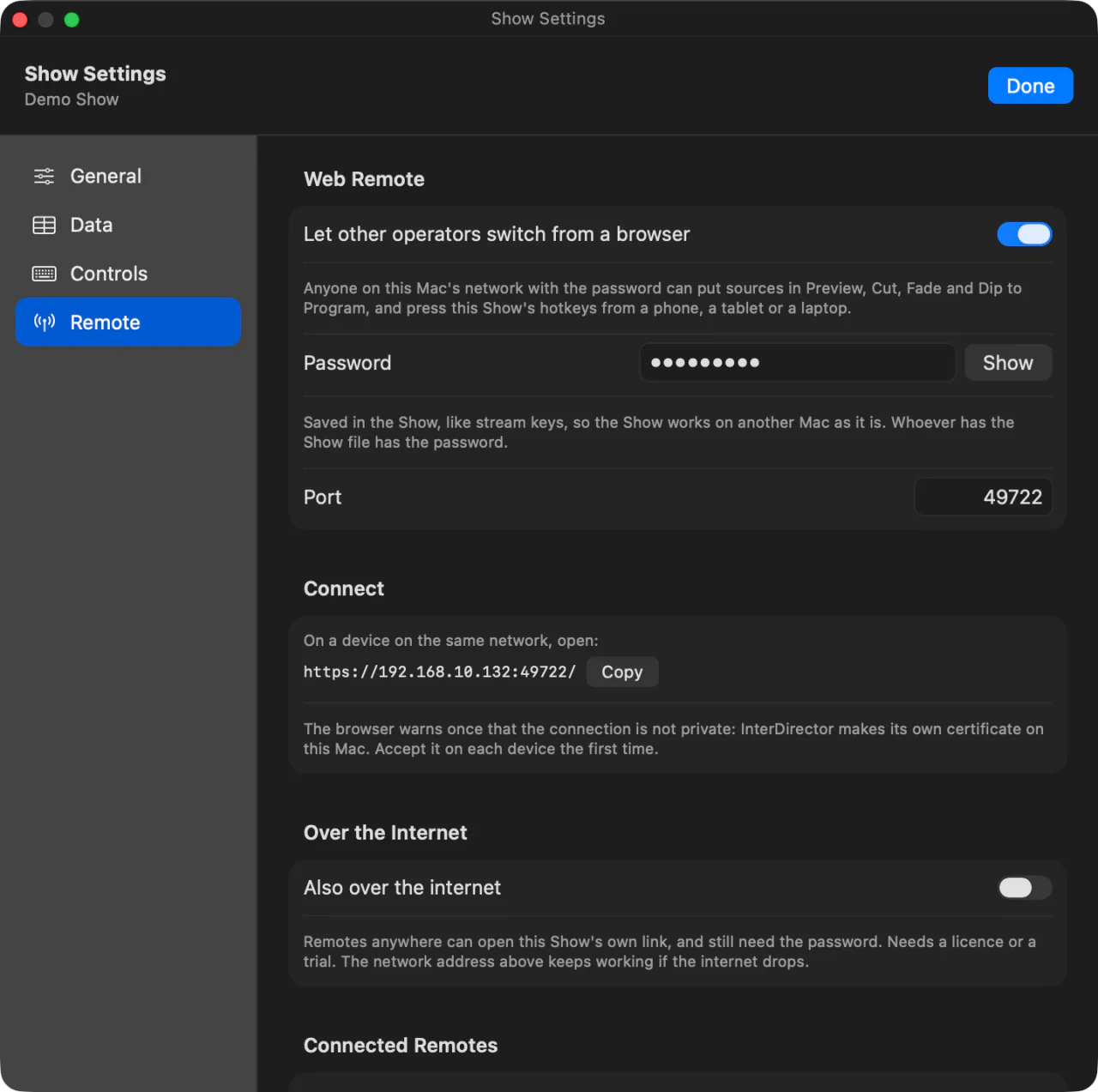
- On the same network as your Mac, open its address. Over the internet, switch it on and share the link of the Show, or its QR code: it has a real certificate, and nothing has to be opened on the network of the venue.
- The link belongs to the Show, so your crew can bookmark it, and New Link replaces it at once. Up to four remotes can use it at the same time.
- Signing in never sends the password: the Mac asks a question only the right password can answer.
- Anything that asks first on your Mac, such as stopping the stream, asks on the remote instead. If the connection drops, every button turns off until it is back, so nothing is sent late.
- Show Settings lists every signed-in remote, and can sign one out.
Built for the long shift.
What InterDirector does when something goes wrong.
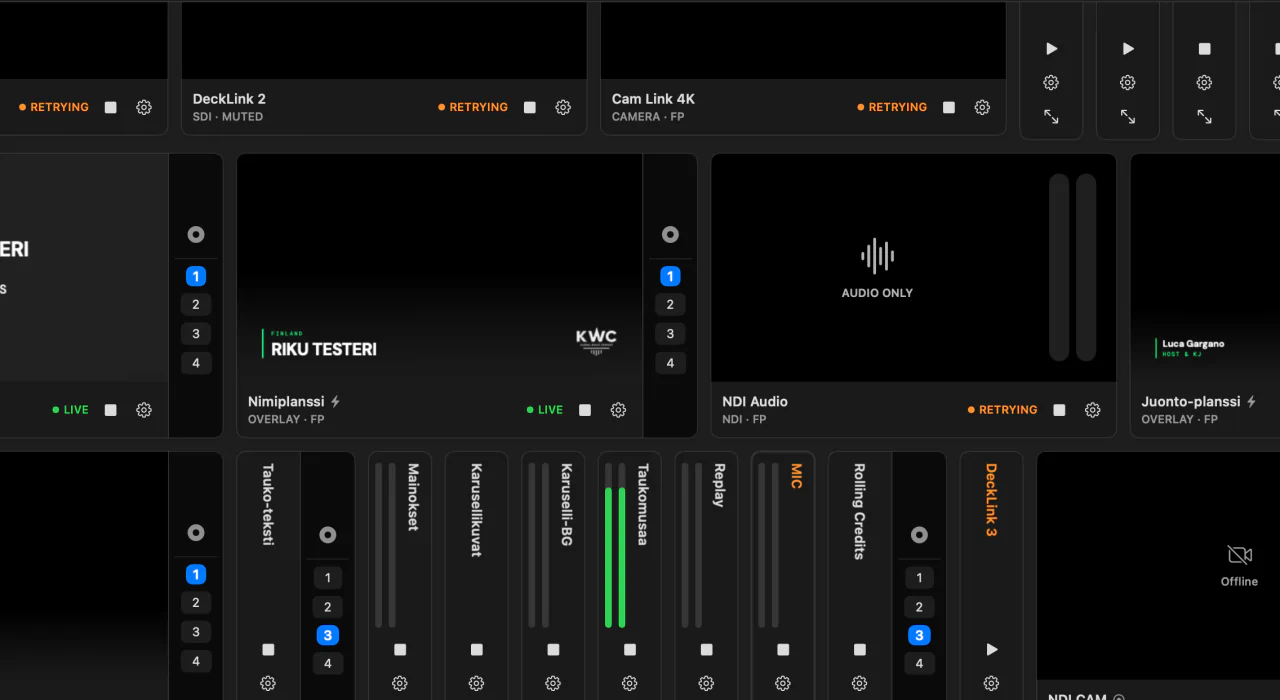
- A source that drops is retried until it comes back, at intervals stretching to thirty seconds, and its card says it is retrying.
- Recordings are written in one-second fragments, and closing a Show finishes the recording file first.
- Autosave keeps a Last Show copy, offered again when you next launch. A damaged Show still opens, with a list of what was repaired, and nothing is written until you save.
- A Show is checked as it opens, and a file it cannot reach can be relinked: finding one reconnects its whole folder.
- A journal of what your inputs, switcher and outputs did, with memory, CPU, GPU and thermal readings every minute, stays on your Mac until you send it with an issue report from the Help menu. When a network input drops, it says how long it was live and why.
- Save As with Files copies a Show with every file it uses into one folder, ready to take to another Mac.
- Updates are signed, checked the moment InterDirector starts and every hour while it is open, never installed by themselves, and never checked while you are streaming, recording or sending NDI.
Everything, in one list.
Video
- Resolution
- 1280 × 720, 1920 × 1080, 2560 × 1440 or 3840 × 2160 (4K UHD)
- Frame rate
- 24, 25, 29.97, 30, 50, 59.94 or 60 fps
- Picture
- Progressive, SDR Rec.709
- Other sizes and frame rates
- Converted to the Show’s format as they arrive
- Interlaced sources
- Deinterlaced
- Framing per input
- Fit, Fill or Stretch, then size, position, crop and rotation
- Framing presets
- Saved framings, recalled onto any source or Composite layer from a key, gliding there
- Sync delay per input
- Up to 4 seconds, picture and sound together
- Sync Cameras and Audio
- Every camera measured against the microphone with a phone on stage, and the delays set
- Reference audio delay
- Locked, measuring fits every camera around it; changed, they all move with it
Inputs
- Kinds of input
- 13
- Number of inputs
- No limit
- Change source type
- A camera into NDI, a microphone into a camera, keeping its name, sound, rules and hotkeys
- NDI
- Full, Low bandwidth or Audio only; NDI HX with the NDI HX driver installed; senders on other networks found by their address; pan, tilt, zoom, nine presets, focus, exposure and white balance of a camera that takes PTZ
- Network streams
- RTMP and SRT sent to your Mac, each with its own key or stream ID, or SRT and RTSP pulled from a camera; H.264 or HEVC with AAC sound
- Over the internet
- A phone or encoder anywhere, through our relay in Germany or Finland, with no open port; up to six at once
- Cameras and capture cards
- USB and UVC devices
- Blackmagic
- Blackmagic capture devices through Desktop Video, with their embedded sound
- Audio devices
- Any Core Audio device, as a mono channel or a stereo pair
- Web pages
- Live, with a transparent background and a frame rate you set
- Images and media
- Image carousels and media playlists, both with crossfades, with animated GIF, PNG and WebP
- Composite
- Any inputs layered, each framed on its own
- Statistics
- The streams, your Mac’s CPU, GPU and memory, disk space and meters, as a picture
- Window
- One window of another app on your Mac, with that app’s sound
- Overlay and Replay
- Inputs of their own, below
Colour
- White balance
- Click something grey or white in a frozen frame
- Exposure
- Up to five stops brighter or darker, on a continuous slider
- Tone
- Brightness, contrast, saturation, vibrance, shadows and highlights
- Three-way grading
- Shadows, midtones and highlights
- Grade presets
- Saved on your Mac, for any input in any Show
- LUTs
- .cube files, at 0 to 100% strength
- Chroma key
- Green or blue screen, with tolerance, softness and spill
- Video FX
- Black & white, noise reduction, blur, sharpen and vignette, each switchable from a key
Switching and multiview
- Transitions
- Cut, two Fades with their own durations, Dip and Fade to Black
- T-bar
- Drag it, or hold Option and scroll
- Tally
- On every input card and multiview window
- Auto director
- Takes sources in turn, each for as long as you set
- Multiview layouts
- Built your way, or from 4 presets
- Multiview out
- On every display you choose, and as an NDI source
- Click the multiview
- A source clicked there goes to Preview, or cuts, fades or dips to Program
Audio
- Mix buses
- Master and up to 8 stereo buses, named and coloured, with or without an output
- VST3 effects
- On every source and every bus, native to Apple Silicon; new ones found at launch, a crashing one left out
- Sound for a camera
- Any microphones ticked to follow it to Program, its own sound too
- Solo / Monitor
- To headphones of its own; Master there when nothing is soloed
- Follow Program
- Sound comes and goes with the picture
- Meters
- On every source and bus, with peak hold
- Loudness levelling
- Media files measured to EBU R128
- Audio outputs
- Master, each bus and Solo / Monitor each to any device and a stereo pair of its outputs, kept in time with the Mac
- Lip sync with effects
- Pictures wait for effects that delay the sound, such as limiters
Overlays and data
- Overlay layers
- 4, in order of priority
- Built-in overlays
- 25, from lower thirds and a QR code to a standings table and rolling credits
- Your own overlays
- Any HTML design, with the controls it declares
- Data
- CSV and JSON from a file or a web address, Google Sheets included
- Data refresh
- Every second to every hour
- Live text
- Countdowns, clocks, dates and stopwatches in any text
Streaming
- Protocols
- RTMP, RTMPS and SRT
- Destinations
- No limit, all from one encode
- Encoding
- H.264 or HEVC video, AAC sound; HEVC over SRT and Enhanced RTMP
- Per-destination encoding
- Its own codec, resolution, bitrates and keyframe interval
- Portrait
- 1080 × 1920 or 720 × 1280 for Shorts, Reels and TikTok: rotated, fitted or cropped
- Adaptive bitrate
- For each destination, recovering by itself
- InterDirector ReCast
- One stream from the venue, sent on to four platforms and two portrait ones from the cloud, with a slate if the venue drops
Recording Program
- Video
- HEVC, H.264, or ProRes 422 Proxy, LT, 422 or HQ
- Sound
- 24-bit PCM, the Master mix
- File
- QuickTime MOV in one-second fragments, playable after a crash
- Settings
- Its own resolution and bitrate, apart from the stream
- Clean recording
- Record without overlays
- Cut marks
- Exported in pieces, without re-encoding
Recording inputs
- Inputs
- NDI, network streams, cameras, Blackmagic, audio devices and windows
- Video
- HEVC, H.264, or ProRes 422 Proxy, LT, 422 or HQ, at each input’s own size and frame rate
- Sound
- 24-bit PCM; an input with sound alone as a 24-bit WAV
- What is recorded
- The clean signal, before framing, colour and effects
- Start
- One button for every armed input, at the same instant
Replay
- Buffer
- 10 seconds to 5 minutes of Program with its sound, 60 seconds unless you change it
- Buffer codec
- H.264, or ProRes 422 Proxy or LT
- Clips
- MP4 files, or MOV with ProRes, in named buckets
- Trim
- An In and an Out for each clip; the file stays whole
- Speed
- 0.25× to 2×
- Playback
- On Program, or over it as an overlay, with a 0.1 to 5 second crossfade
Other outputs
- External displays
- A clean Program on several, Fit, Fill or Pixel Accurate, and Preview on one of its own
- NDI
- Program with its sound; Master and each bus as sound-only sources; the multiview
- With the Show
- NDI and External come back on when the Show opens
- Video calls
- Its own camera and microphone for Meet, Zoom and Teams: Program or an input, Master or a bus
- Blackmagic
- Program out of a Blackmagic device that offers the Show’s format, with the Master mix or without
Control
- Keyboard shortcuts
- 68 actions
- Stream Deck
- Plug-in included, with keys that show state
- Bitfocus Companion
- A module with tally, on this Mac or another
- Automation rules
- When this happens to a source, do that
- Web remote
- From any browser, on your network or over the internet; up to four at once over the internet
- Control API
- A documented WebSocket and HTTP API for your own remotes and scripts
Reliability
- Sources that drop
- Retried until they come back
- Autosave
- A Last Show copy, offered when you next launch
- Damaged Shows
- Opened, with a list of what was repaired
- Moving a Show
- Save As with Files; missing files relinked a folder at a time
- Diagnostics
- A journal on your Mac, sent only with an issue report you send
- Updates
- Signed, never installed by themselves, never checked while you are live
Requirements
- Mac
- Apple Silicon, macOS 15 or later
- ProRes encoding
- M1 Pro, M1 Max or any later Mac