Lower thirds that update from a Google Sheet
Keep speaker names and titles in a Google Sheet, bind a lower third to it, and step through the list during the show instead of retyping.
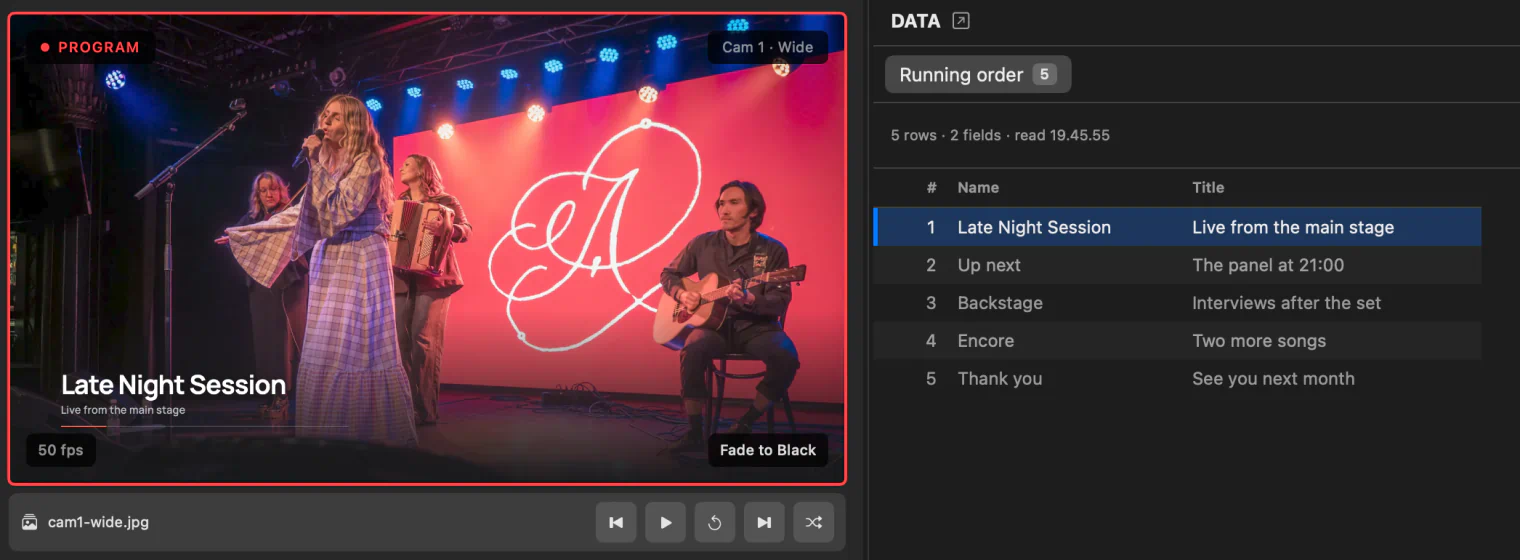
A conference has thirty speakers; a tournament has a fighter list that changes the night before. Typing each name into a graphic during the show is how typos reach the audience. Instead, keep the list in a Google Sheet, which a producer can edit from anywhere, and let the lower third read it.
1. Make the sheet
Put the list in the sheet’s first tab, one row per person, with a header row naming the columns:
| Name | Title |
|---|---|
| Anna Virtanen | Keynote |
| Mika Laine | Product lead |
Press Share in Google Sheets and set access to Anyone with the link, then copy the link. That is the link InterDirector needs; there is nothing to publish.
2. Add it as a data source
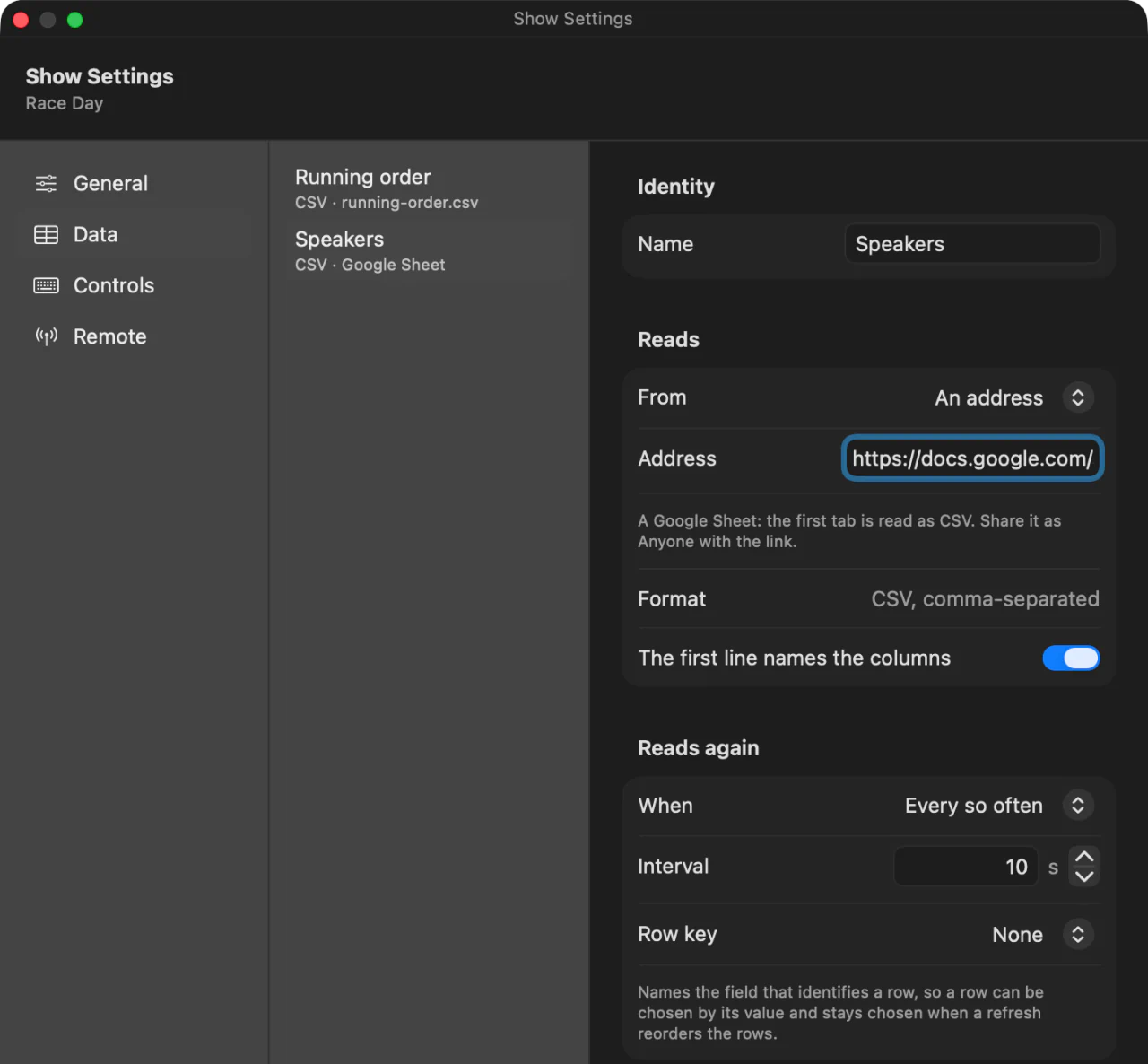
In Show Settings, press Add Data Source, choose an address, and paste the link. InterDirector recognises a Google Sheet and reads its first tab as CSV. Choose how often it refreshes: every few seconds is fine for a list that changes during the show, and an edit in the sheet reaches InterDirector within a couple of seconds of being read.
3. Add a lower third
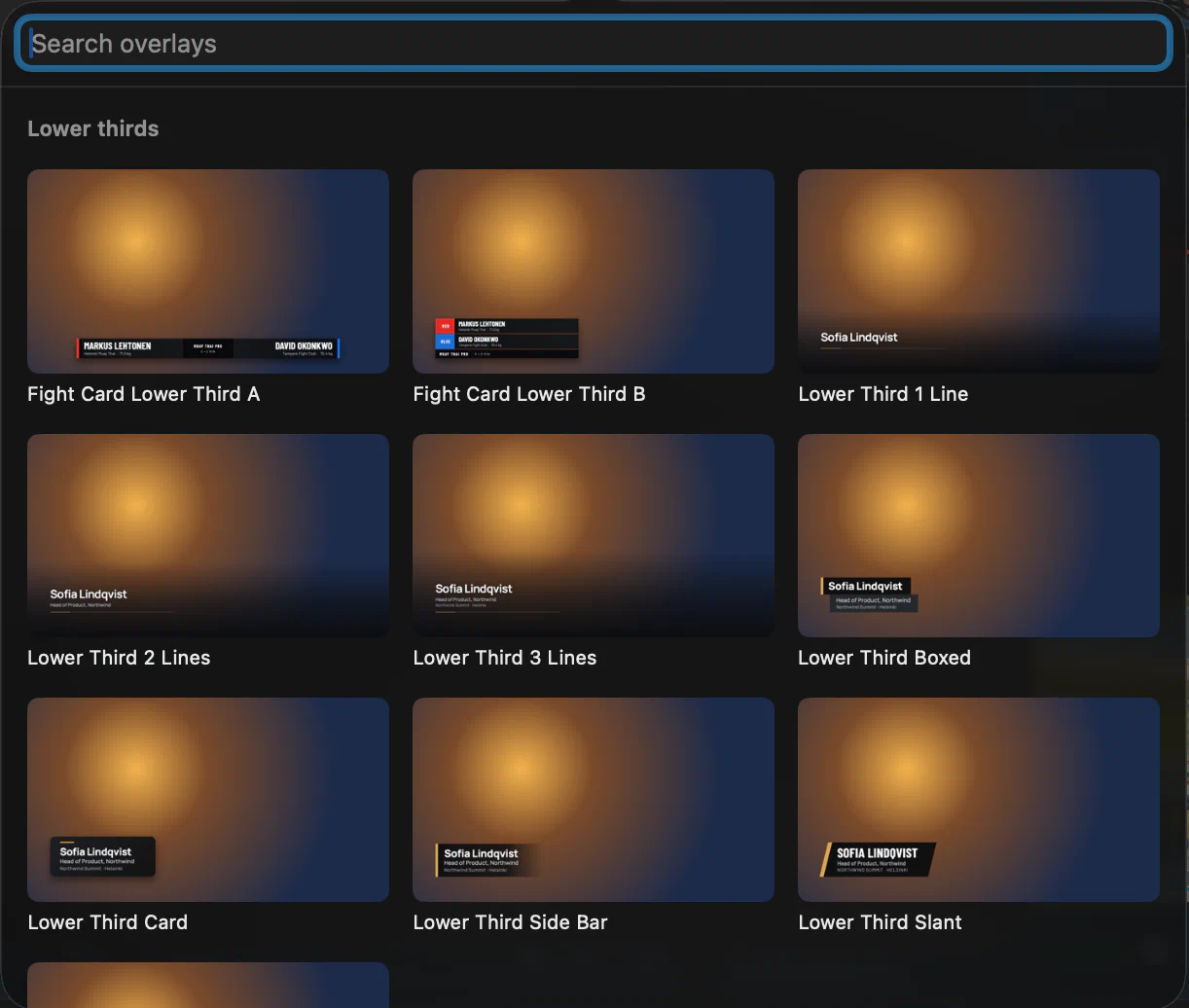
Press Add Input…, choose Overlay, press Package and pick Lower Third 2 Lines from the gallery, under Lower thirds, then press Add. Its card has two lines of text, Name and Tagline, with their colours and sizes.
4. Bind the text to the sheet
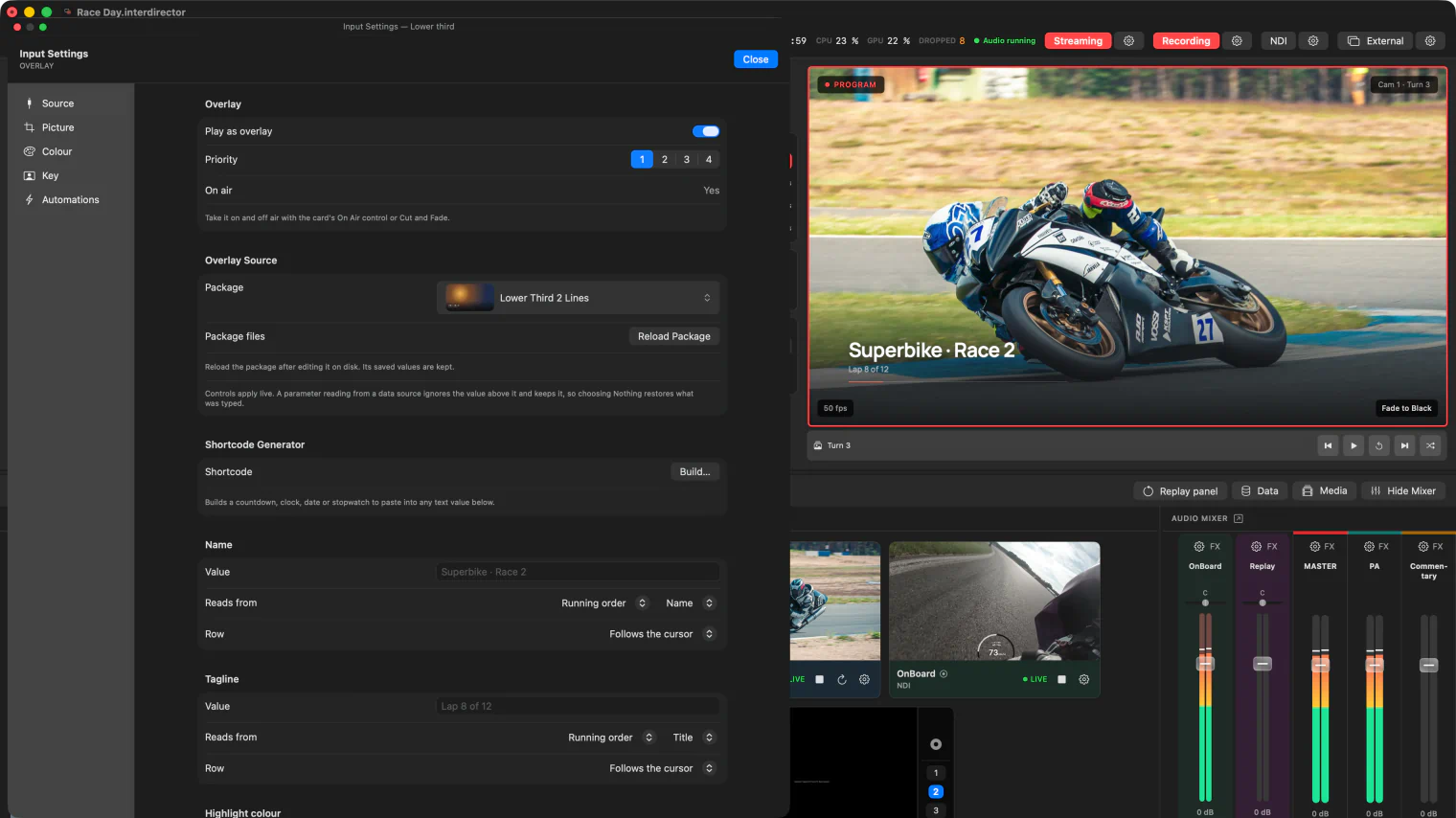
On the overlay’s card, each text parameter has a Data source picker. Set Name to your sheet and its Field to the Name column; set Tagline to the same sheet and the Title column. Leave both on Follows the cursor, so they show whichever row is current.
5. Step through the list
Open the Data panel to see every row. Click the next speaker, or use the arrow keys, and the lower third changes at once, on air if it is up. Put the next row and the previous row on keys or Stream Deck buttons, and you can step through the whole programme without touching the mouse.
Take the lower third to air with the Overlay button under the transition controls, and down again with the same button. It stays up while you switch cameras behind it.
Beyond lower thirds
- A value that should not move, such as an event name, can use Always the same row instead of following the cursor.
- Scores and results work the same way, from a sheet someone keeps up to date, with an overlay package of your own designed as a scoreboard, whose text parameters bind to the sheet the same way. Scoring software can write the scores to a CSV file instead and tell InterDirector to read it at once, through the control API.
- Countdowns, clocks and stopwatches need no sheet at all: type one into any overlay text and it runs by itself. See Countdowns, clocks and stopwatches.